Appointment board
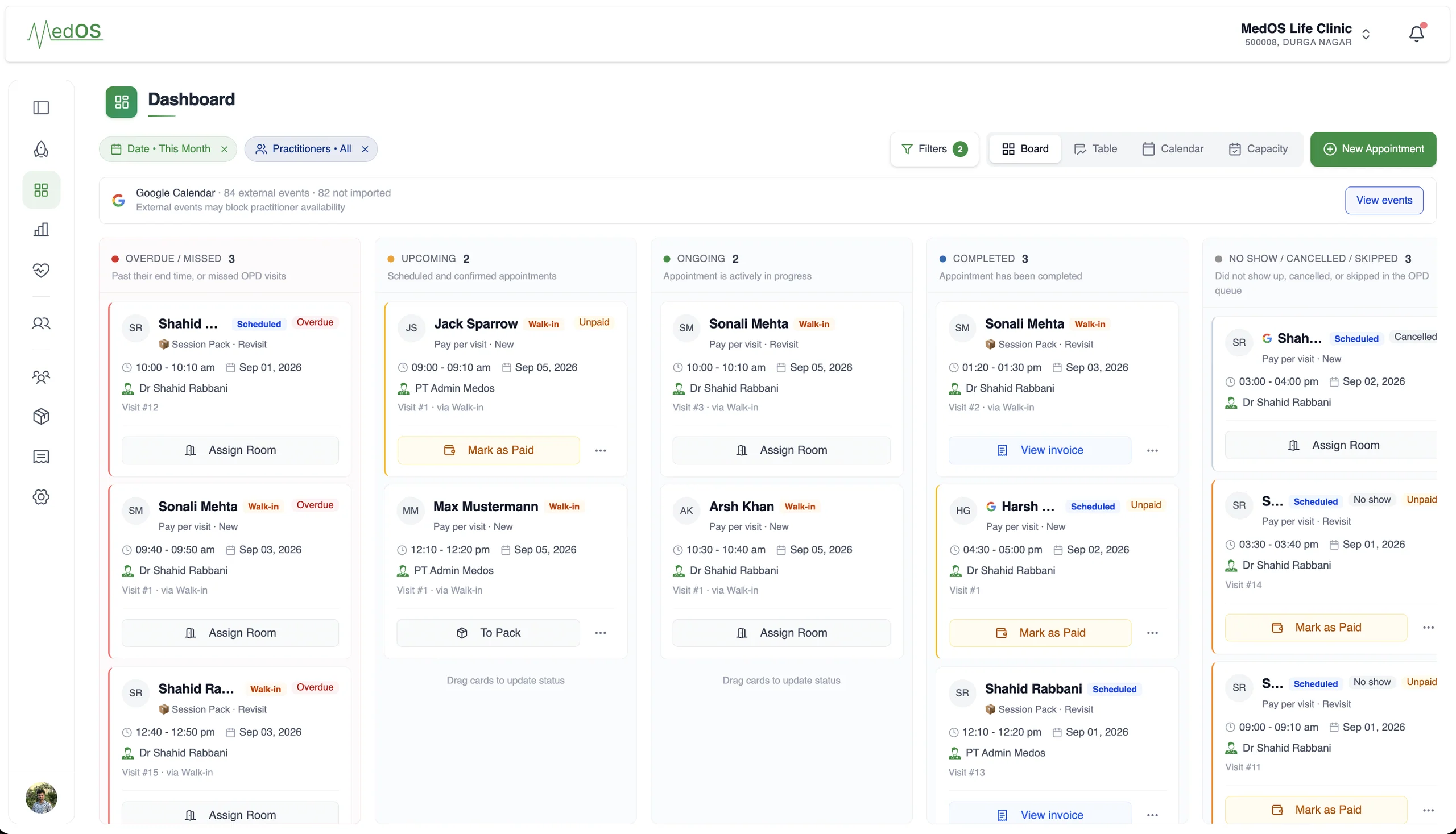
An appointment board that shows the whole day, and who is in the room right now.
Overdue, upcoming, ongoing and completed, per practitioner, with payment state on every card. The board is the front desk’s single screen.
A paper register tells you who was expected. It does not tell you who has arrived, who is in consultation, who has paid, and whose session pack visit was missed. The MedOS appointment board does. Every visit is a card that moves from upcoming to ongoing to completed, and a card that passes its end time without being started or completed lands in the overdue column where the desk sees it.
Walk-ins, self check-ins and online bookings all appear on the same board. Assign a room, mark a payment, open the invoice or the patient record from the card. Filter to one doctor or all, and switch to the calendar day view when you need to see time rather than state.
What you get
- Four columns, one truth
- Overdue and missed, upcoming, ongoing and completed. No-shows and cancellations are kept separately.
- Payment state on the card
- Unpaid, paid, or drawn from a session pack, visible without opening anything.
- Google Calendar aware
- External events that block a practitioner’s availability are shown above the columns.
- Board and calendar
- The same appointments in a day view with rooms, live consultations and the next patient.
A snapshot of your entire practice.
Works with
- Self check-in
Patients verify who they are and book a slot or join the queue from their own phone. They are on the board before they reach the desk. Nobody re-enters a name.
Read more - Google Calendar sync
Connect the Google account your practice already uses, and let each practitioner connect their own. Appointments go out, busy events come in, and anything changed in Google is flagged for a decision.
Read more - Practice performance
A practice owner should not have to piece together bookings, attendance, revenue and follow-up to understand how the practice is doing.
Read more