Group practice
Clinic software for a multi-staff clinic.
Several practitioners, one front desk, shared patients. MedOS keeps everyone on one board and every patient on one record, with permissions that match the roles.
The moment a clinic has a second doctor, the front desk becomes the system. Two diaries, two sets of fees, patients who see both, and a receptionist holding it together from memory. Software for a multi-staff clinic has to give the desk one screen and give each doctor their own view of it, without anyone re-typing what someone else already entered.
MedOS runs a group practice as one workspace. Every practitioner’s appointments are on the same board, filtered to one doctor or all. A patient seen by two of them has one record, and each doctor’s notes sit on their own visits. Admin, doctor, staff, allied professional, pharmacist and pharmacy assistant roles decide who sees what, enforced on every screen. Performance reports show the whole practice or each part of it. The plan is $40 a month for three practitioners, one front desk and one admin, and $7 a month for each practitioner after that.
Several practitioners sharing one front desk, one phone number and, often, the same patients.
One board across every practitioner, one record per patient, roles and permissions, performance by doctor.
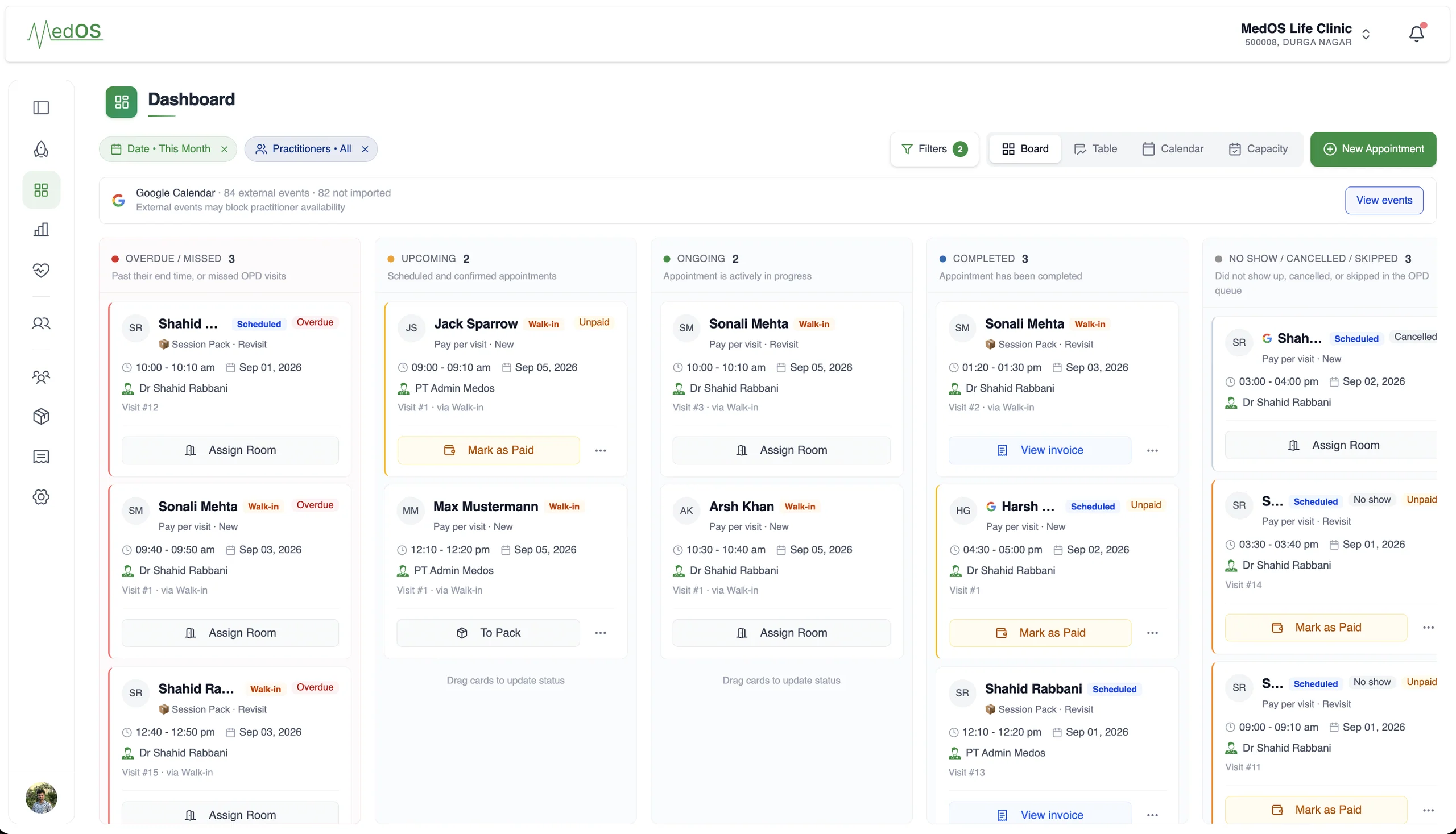
A day on MedOS
How a group practice runs on MedOS.
- 01One board
Every practitioner’s day on one screen at the desk, with rooms and payment state on each card.
- 02One record
A patient seen by two doctors has one history. Notes stay with the visit that wrote them.
- 03Roles
Reception sees the board and the balance, not the clinical notes. Doctors see their patients.
- 04Numbers per doctor
Bookings, attendance and revenue for the practice, and for each practitioner.
A snapshot of your entire practice.
Google Calendar
Your calendar and MedOS stay in sync.
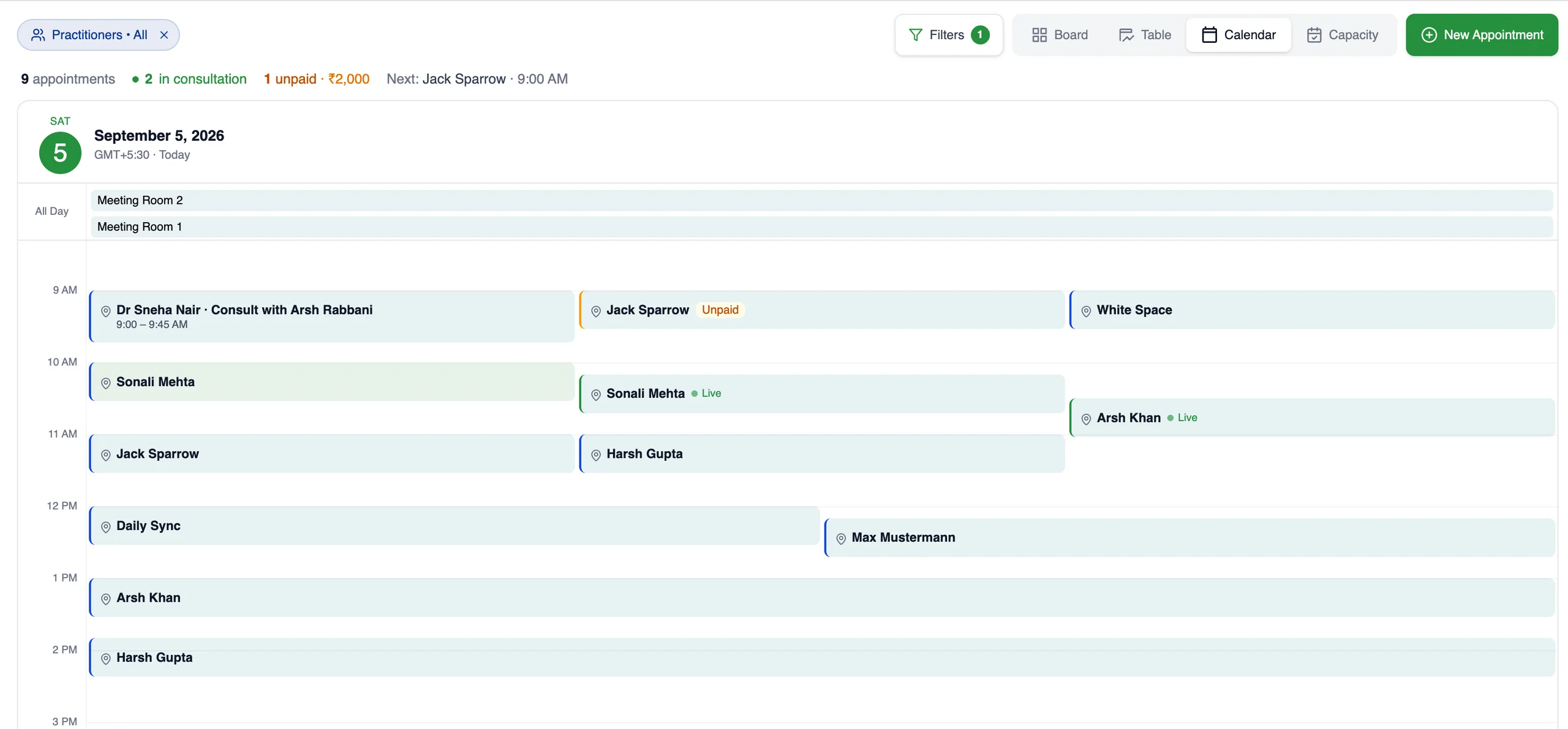
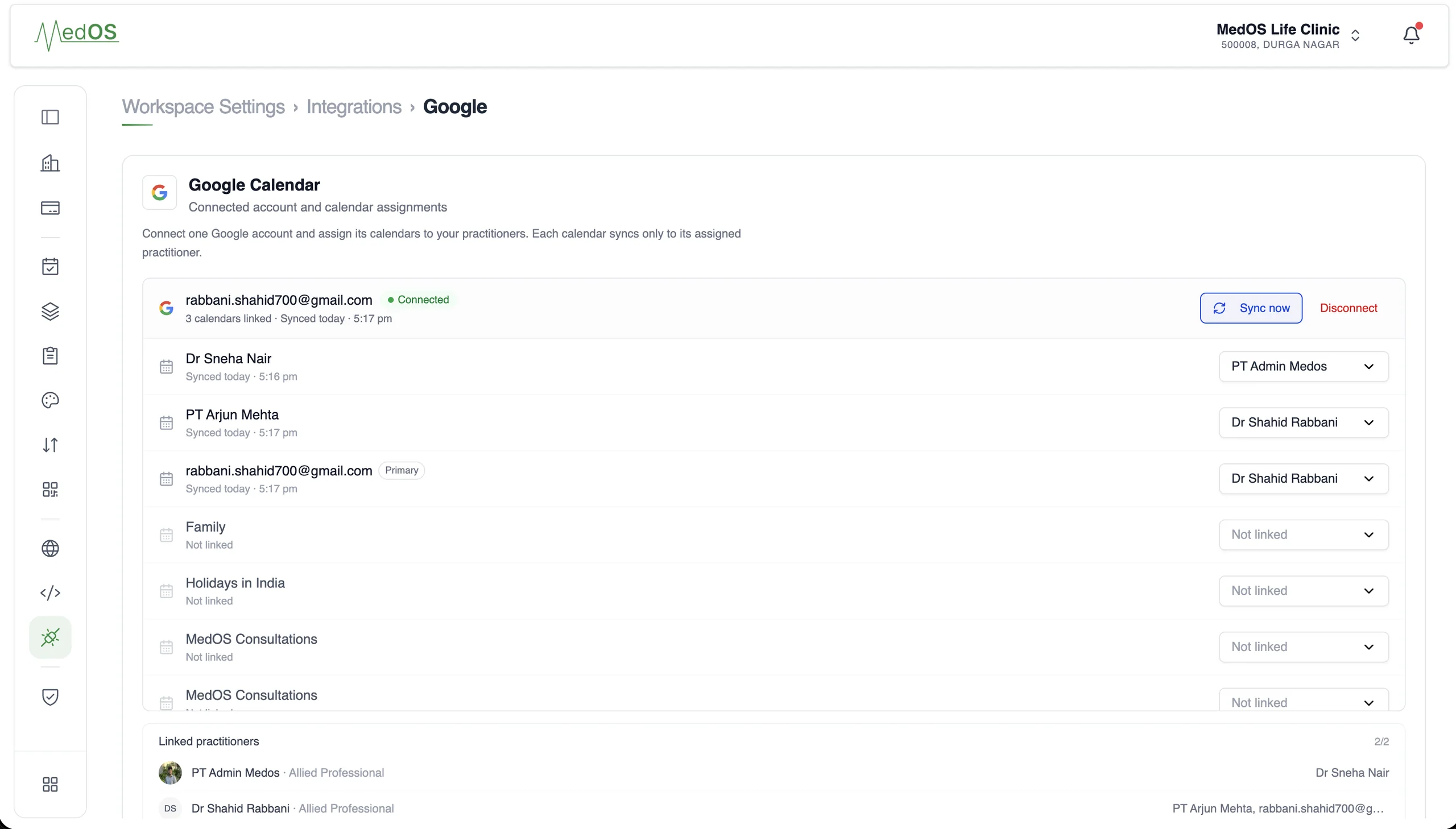
Connect the Google account your practice already uses, and let each practitioner connect their own. Appointments go out to Google, busy events come in to block availability, and anything changed in Google is flagged for a decision, which prevents double bookings and the duplicate typing that comes with running two calendars.
Each practitioner connects their own Google account, read-only, so their busy events block availability. Appointments reach Google through the workspace account.
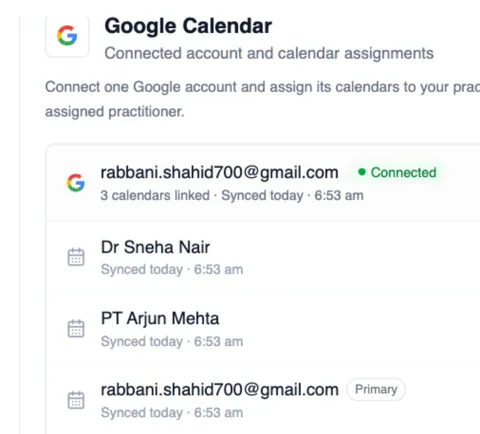
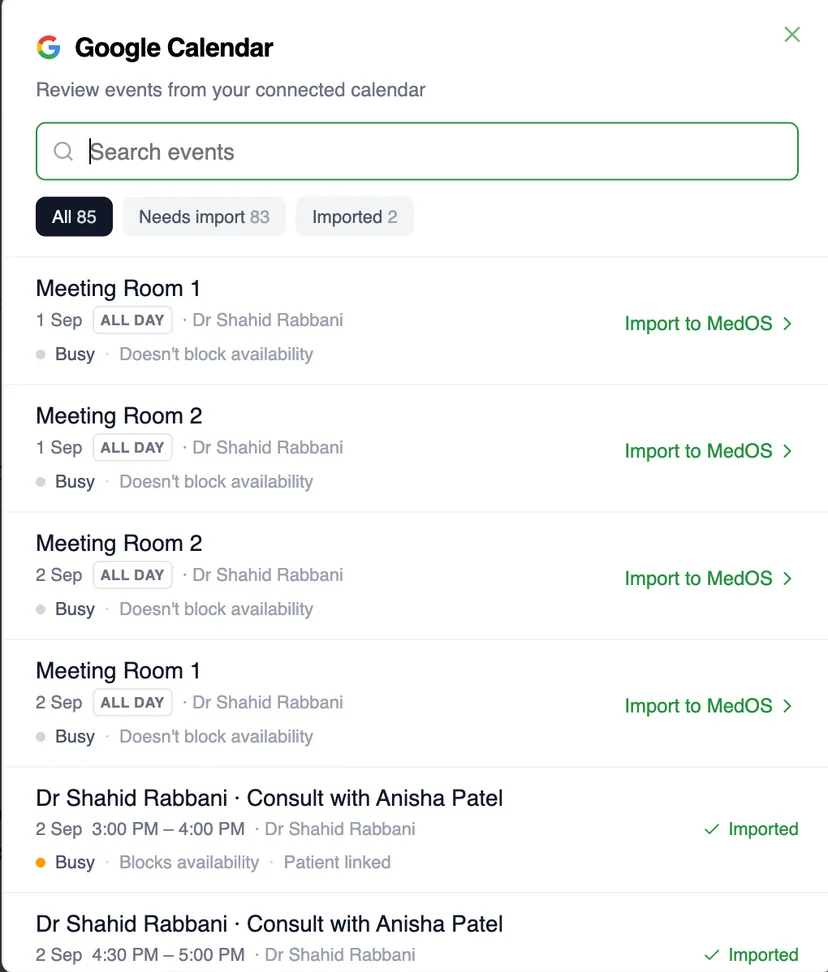
One workspace account for the practice. One read-only connection per practitioner.
- Two connections
- A workspace account sends appointments out to Google. Each practitioner connects their own Google account, read-only, so their events come in.
- Availability
- Events on a practitioner’s Google Calendar block their availability in MedOS, so patients only see slots that are actually free.
- Appointments
- Appointments made in MedOS appear on the workspace Google Calendar, with the patient invited when you switch that on.
- Updates
- Rescheduled and cancelled appointments update the Google event. Nobody types the same visit twice.
- Attention state
- If an event is moved or removed in Google, MedOS marks the appointment for a decision. It keeps its original time until someone chooses.
Performance
Know what is happening in your practice.
A practice owner shouldn’t have to piece together bookings, attendance, revenue and follow-up to understand how the practice is doing. MedOS brings the operational picture into one place, so decisions are based on what is actually happening.
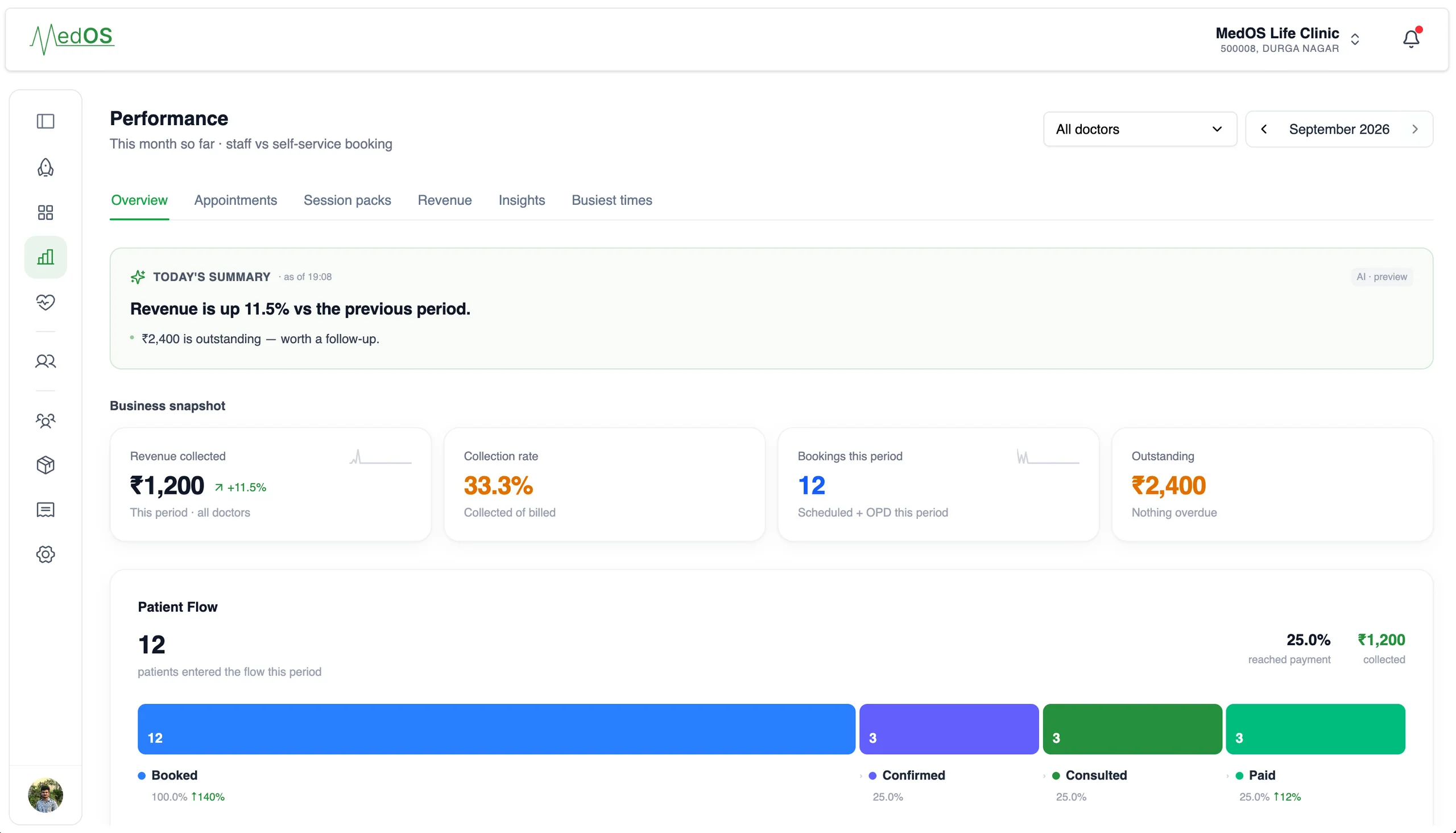
This month so far: today’s summary, revenue collected, collection rate, bookings and the patient flow from booked to paid.
- Bookings and attendance
- Bookings this period, staff versus self-service, and the patients who confirmed, consulted and paid.
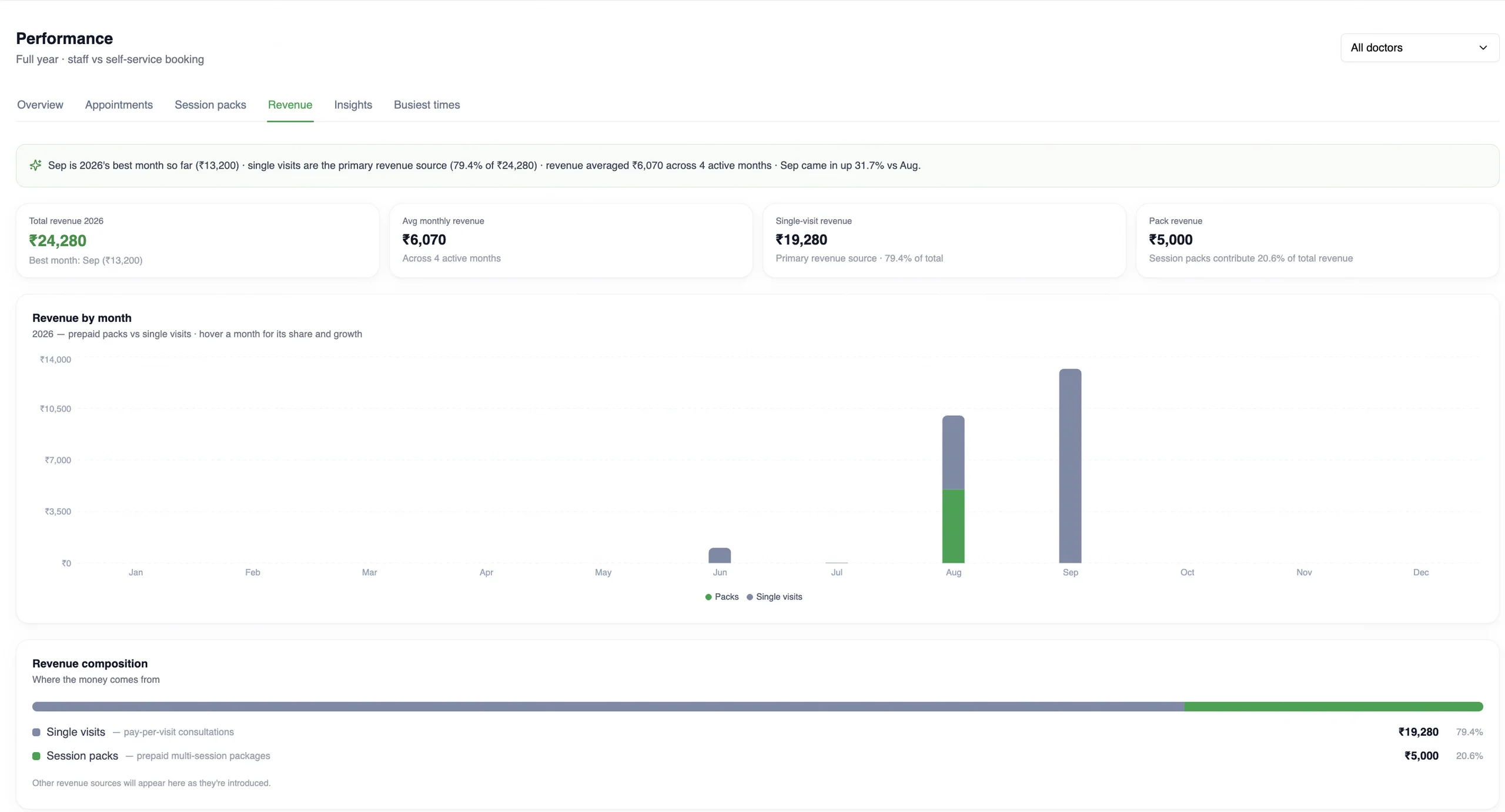
- Revenue, by month and by source
- Revenue collected and outstanding, month by month, split between prepaid session packs and single visits.
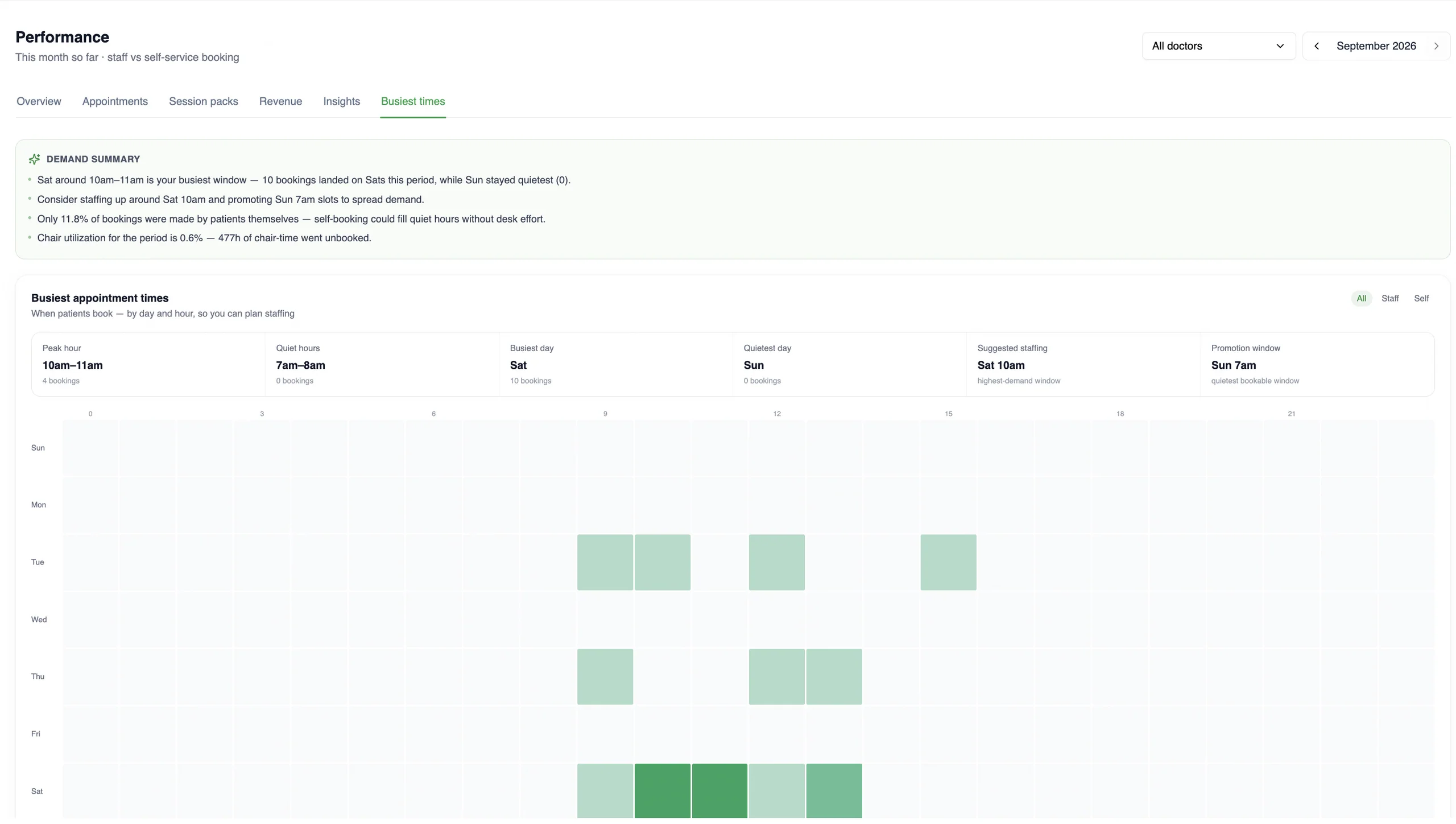
- Busiest times
- When patients actually book, by day and hour, with the peak hour, quiet hours and a suggested staffing window.
Customers
In their own words.

Most software ignores how therapy actually works. With MedOS I sell prepaid session packs upfront, so patients commit to the full programme and payment is in before the first appointment. It tracks every remaining session for me.
Dr. Shivangi Gupta
Mental health therapy · The Mind Veda · New Delhi
themindveda.comPractices running on MedOS, in their own words. We publish only what a practice has agreed to say, and nothing we cannot stand behind.
Features group practices lean on
- Appointment board
Overdue, upcoming, ongoing and completed, per practitioner, with payment state on every card. The board is the front desk’s single screen.
Read more - Patient records
Visits, last seen, next appointment, outstanding balance, notes, prescriptions and activity, on one record. Nothing is re-entered at the desk.
Read more - Google Calendar sync
The workspace calendar publishes clinic appointments. A practitioner can separately connect one read-only calendar so busy events affect booking availability.
Read more - Practice performance
A practice owner should not have to piece together bookings, attendance, revenue and follow-up to understand how the practice is doing.
Read more