Digital prescriptions
Write the prescription in the visit, send it on WhatsApp.
The prescription is written inside the consultation, on the doctor’s own header, signature and stamp, and reaches the patient as a PDF or on WhatsApp as soon as it is saved.
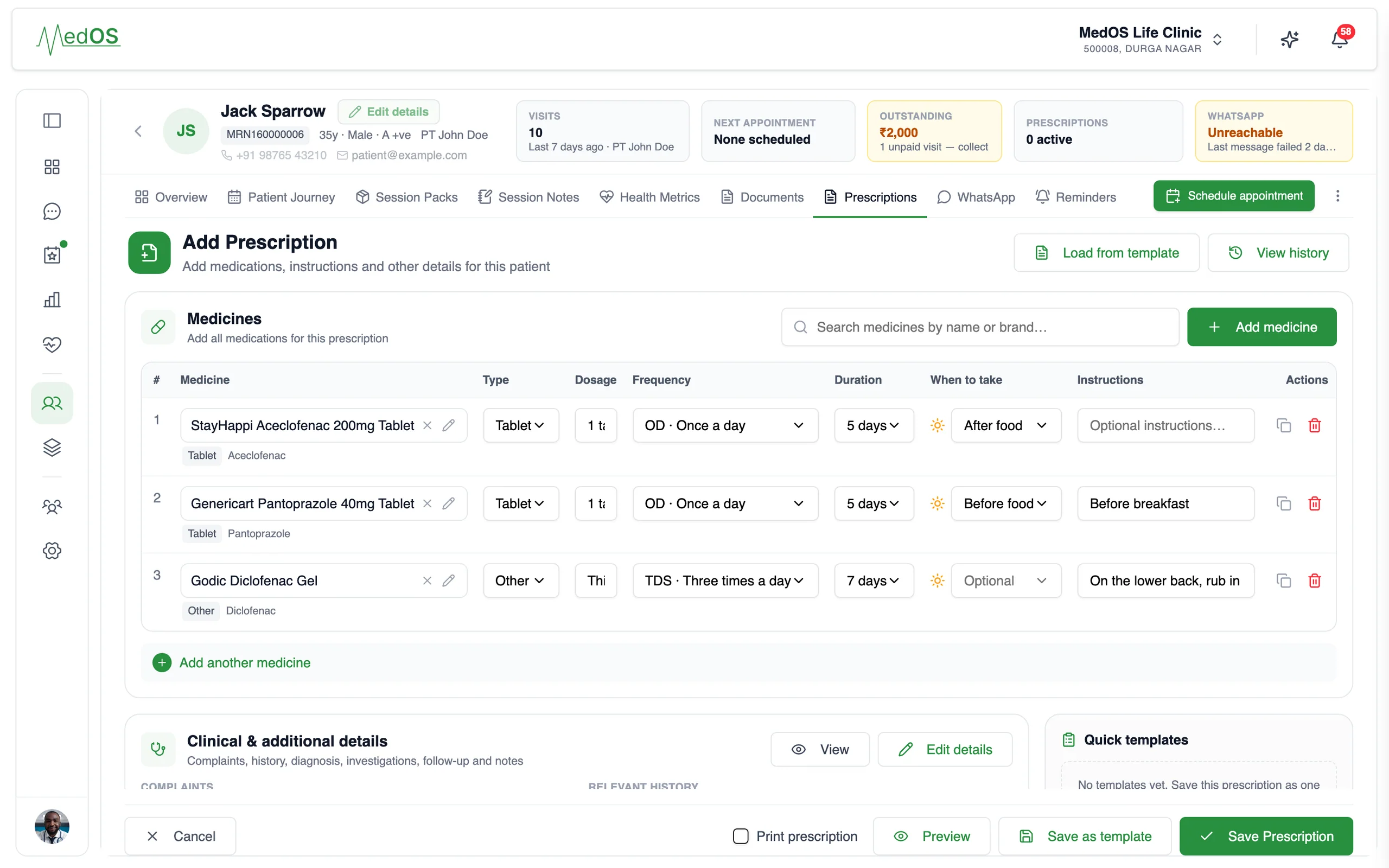
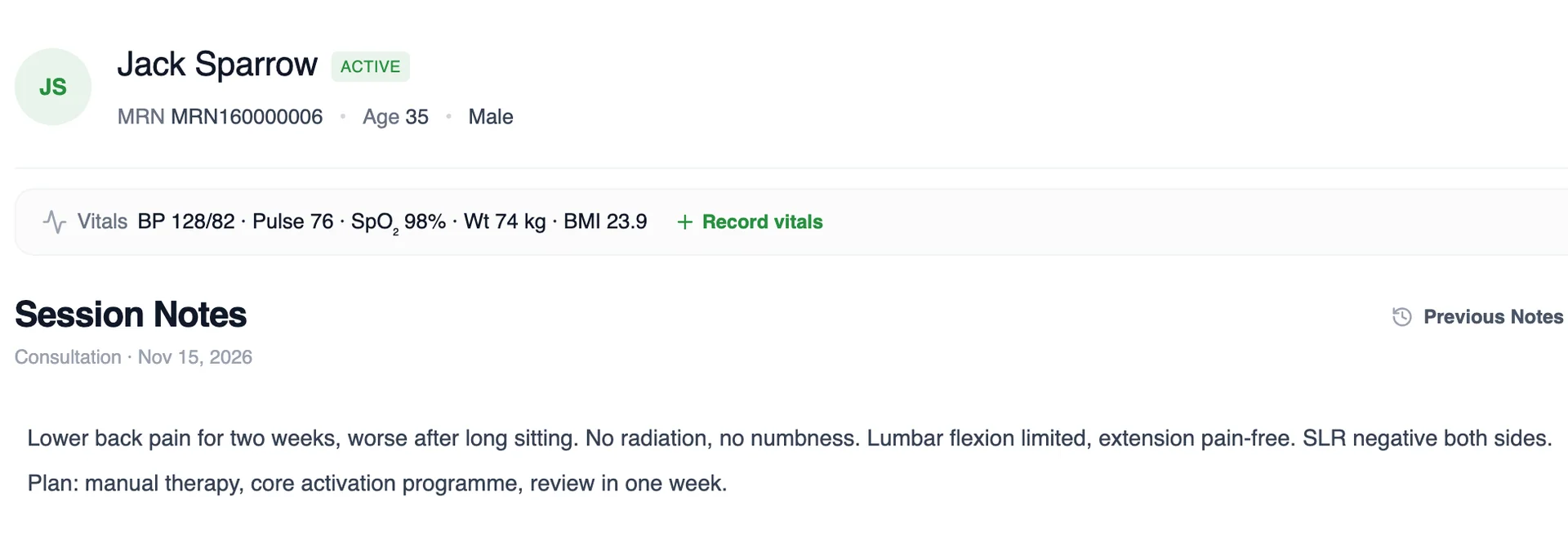
Handwritten prescriptions get lost, misread and retyped. In MedOS the prescription is part of the consultation: the doctor picks the medicine, adds its strength, and chooses the frequency, when to take it and for how long from suggestions instead of typing them out. Notes and the next scheduled visit sit beside it.
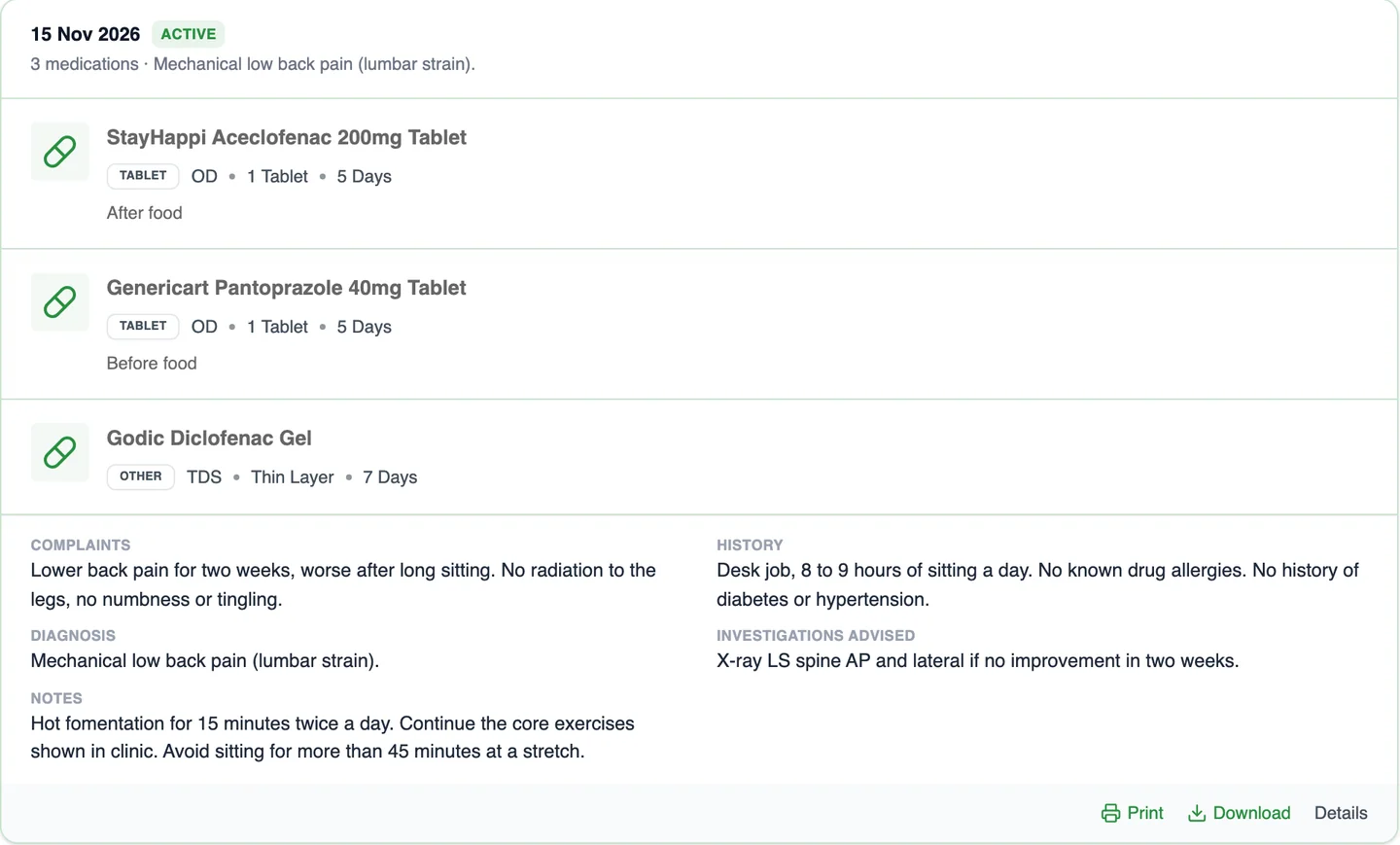
Each practitioner sets up their prescription layout once: header and footer details, a digital signature and the clinic’s stamp or seal. Every prescription after that is generated on it, previewed, saved to the patient record next to their past prescriptions, and sent to the patient directly or printed at the desk.
What you get
- Your letterhead
- Header, footer, digital signature and stamp are set once per doctor and applied to every prescription.
- Dosage in a tap
- Frequency, timing and duration come from suggestions, so a medicine line takes seconds.
- Sent, not handed over
- Send the prescription on WhatsApp or as a PDF, or print it at the desk.
- On the record
- Every prescription is saved with the visit, and past prescriptions are a click away.
Works with
- Patient records
Visits, last seen, next appointment, outstanding balance, notes, prescriptions and activity, on one record. Nothing is re-entered at the desk.
Read more - Pharmacy & inventory
Every medicine is tracked by batch, with expiry dates, reorder levels and suppliers, so the clinic knows what is on the shelf before a patient asks for it.
Read more - Follow-up visits
A patient who came recently should not pay full price, or fight the booking form, to come back. MedOS knows who is eligible and offers the follow-up to them and to the desk.
Read more