Solo practitioner
Clinic software for a solo practitioner.
One doctor doing the booking, the consulting and the collecting. MedOS puts all of it on one record so the day runs without a register, a notebook and three apps.
A solo practice runs on the doctor’s attention, and most of it goes to things that are not medicine: the phone, the diary, the register, the UPI screenshots, the follow-up someone forgot to note. Clinic software for a solo practitioner has to remove that load rather than add a system to maintain. MedOS does it by giving every part of the day one record to write to.
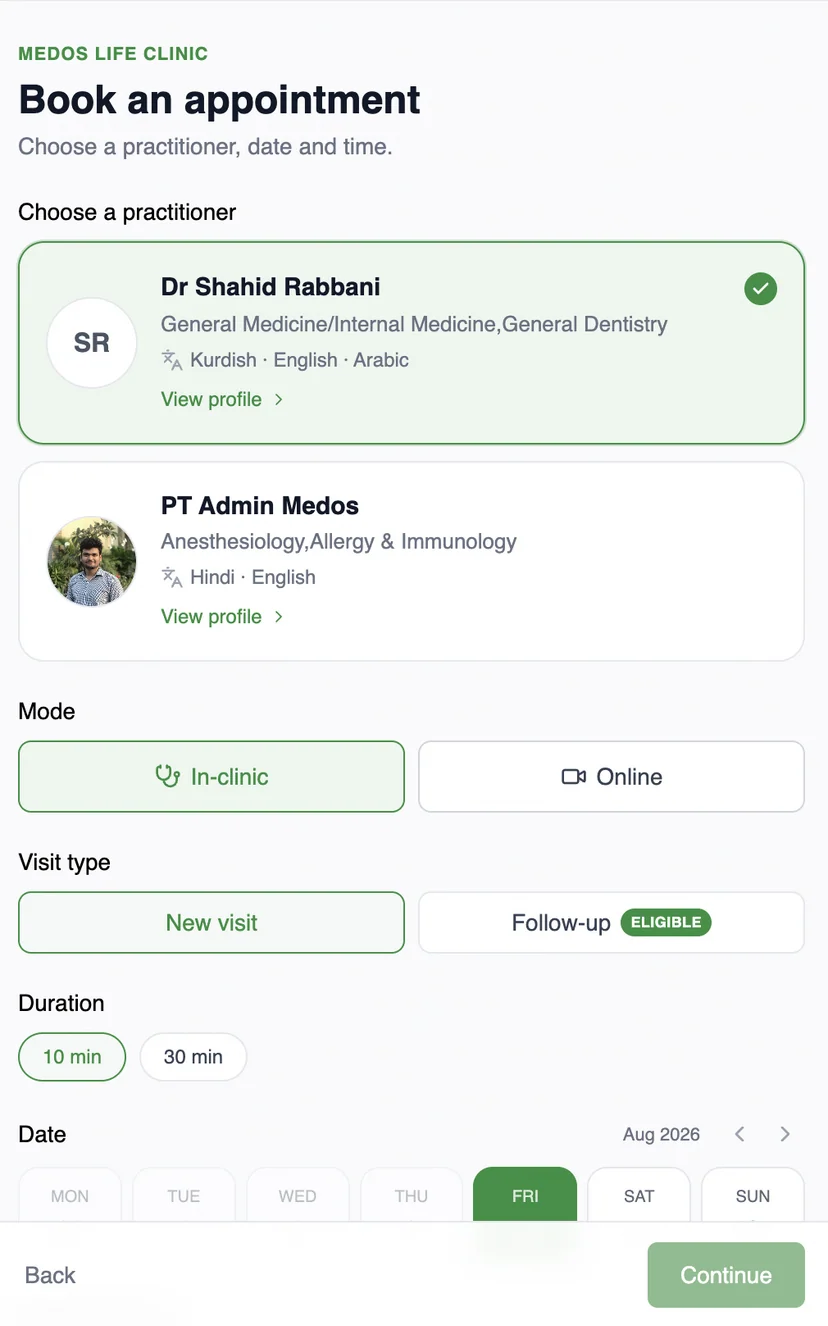
Patients book from your website, a link or a QR, with real availability from your calendar and your Google Calendar together. They check in from their phone. You write notes and the prescription against the visit. They pay on your own UPI QR, verified by you, or online through Razorpay. The follow-up is booked from the same screen and the reminder goes out on WhatsApp. The solo plan is $10 a month for one doctor, one staff and one admin, so there is a seat for the desk when there is one.
One doctor doing the booking, the consulting and the collecting, often with one person at the desk.
The record, booking, board, payments and reminders in one system, priced flat, with nothing to install.
A day on MedOS
How a solo practitioner runs on MedOS.
- 01Book
From your site, a link or a QR. Slots come from your calendar and your Google Calendar.
- 02Consult
Notes and the prescription on the visit. Last time’s notes one click away.
- 03Collect
Your own UPI QR at the payment step, or Razorpay online. Balance on the record.
- 04Follow up
Booked from the record, reminded on WhatsApp. Nothing to remember.
No migration
Your website stays. Your operations get better.
You do not rebuild your digital presence to run on MedOS. Patients keep arriving through the site, the link or the QR you already share. Every route lands in the same patient experience, and every booking lands in the same operations.
- 01
Embed the booking widget
One script tag adds booking to the site you already have, themed to match it. This is the only part that lives on your website.
- 02
Share a booking link
No site changes at all. Put the link in your Google Business Profile, on WhatsApp, or in an Instagram bio.
- 03
Print the QR
At the door, on the desk, on a flyer. It opens the same booking and check-in flow.
OTP-verified, branded to your clinic, on the patient’s own phone. Self check-in, payment and Google Meet links are part of the same flow.
One record
Every surface reads and writes the same patient record.
Patient record
From first booking to follow-up
Visits, last seen, next appointment, outstanding balance, prescriptions and activity, on one record. Nothing is re-entered at the desk.
Consultation
Notes written against the visit
Session notes with headings, lists and tables, and the prescription beside them, autosaved as the practitioner writes, with previous notes one click away.
Patient portal
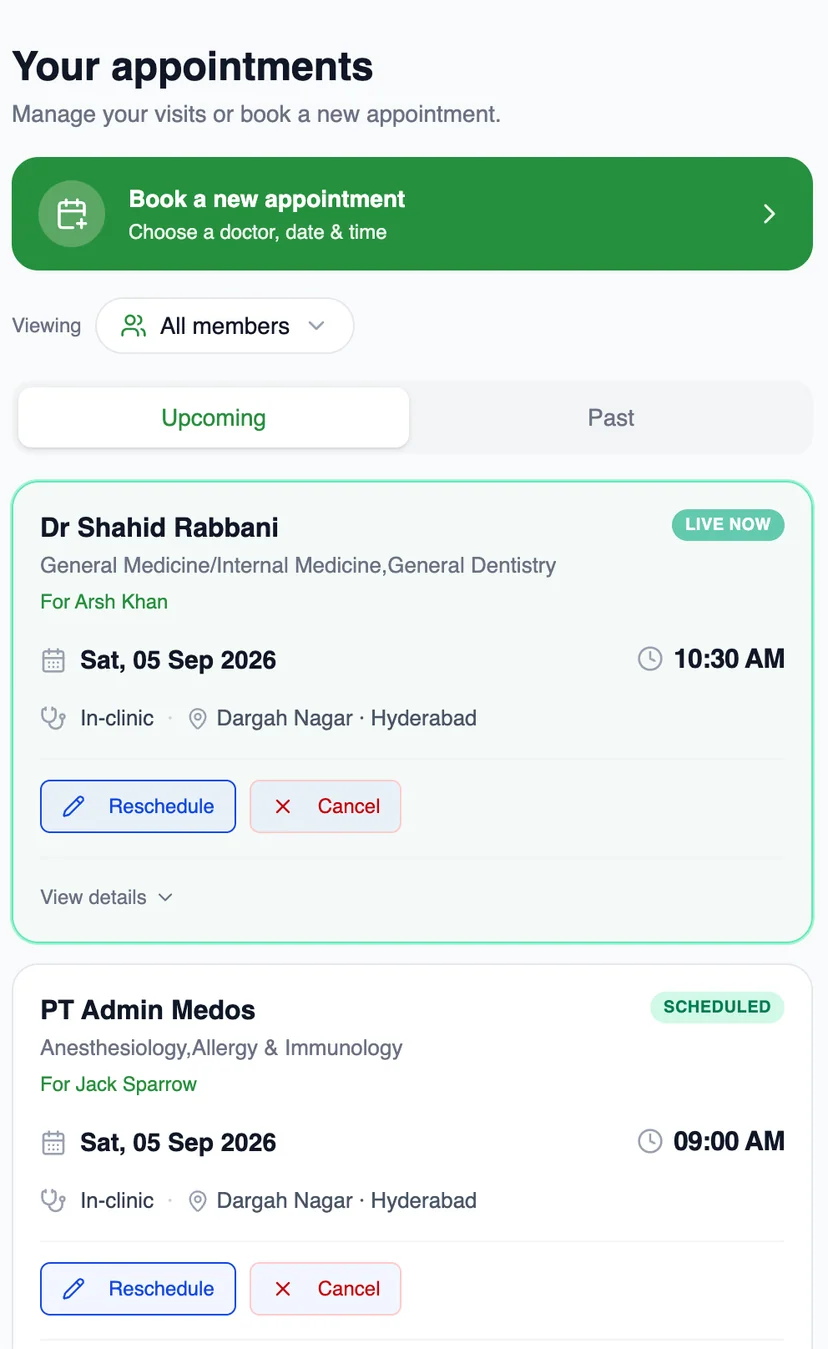
Patients see the same record
Their appointments, live status, reschedule and cancel, on their own phone, OTP-verified and branded to your clinic.
Front desk
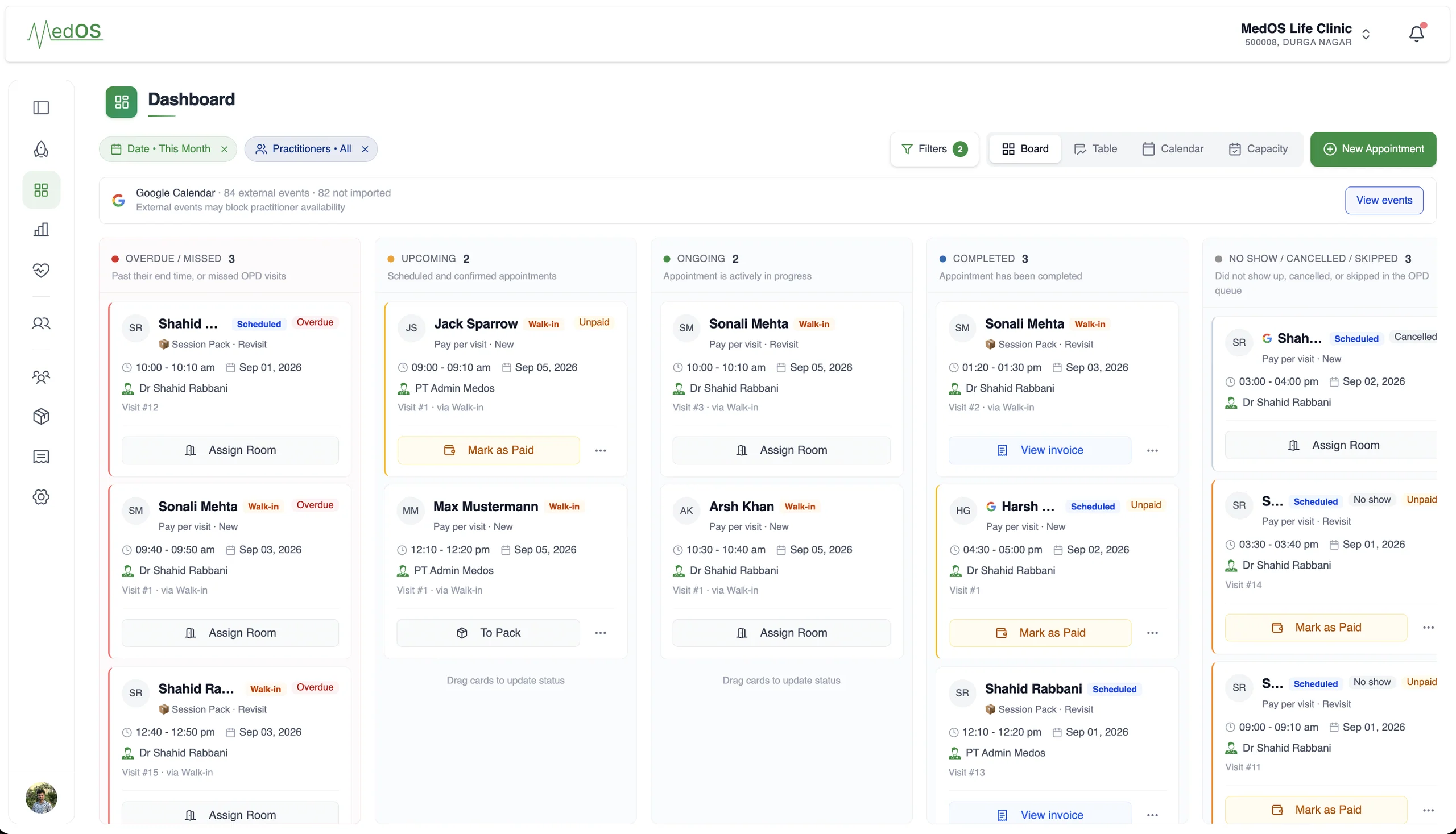
The board knows who is in the room
Overdue, upcoming, ongoing and completed, per practitioner, with payment state on every card.
Recurring care
Session packs, sold in the same flow
Prepaid packs with validity and remaining sessions, chosen by the patient at booking and drawn down visit by visit.
Payments
Collect payment the way your clinic already does.
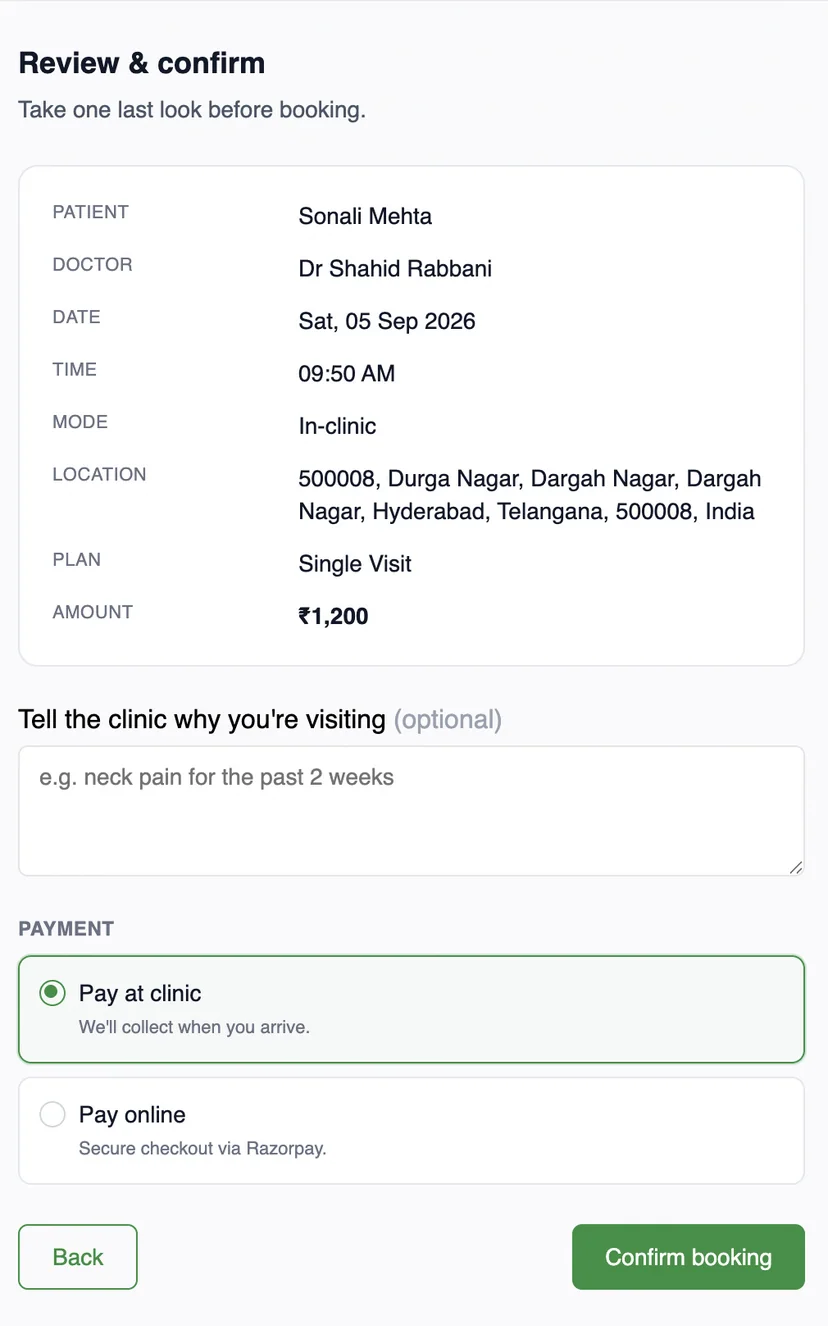
Online through Razorpay in India, or anywhere with the payment QR your clinic already has at reception. Both are part of the same patient payment step, and both settle in the clinic’s own account.
Card, UPI or netbanking, at booking.
The patient chooses to pay online and completes checkout with Razorpay. The visit is marked paid the moment Razorpay confirms it. MedOS stores your gateway credentials, not your money.
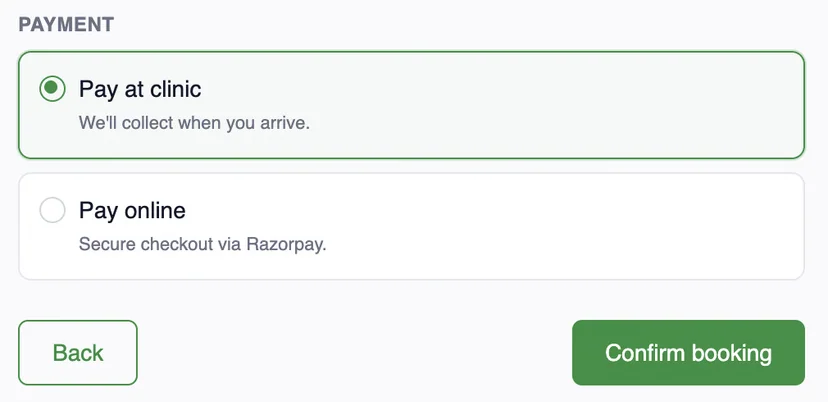
Upload once. Patient pays. Staff verify.
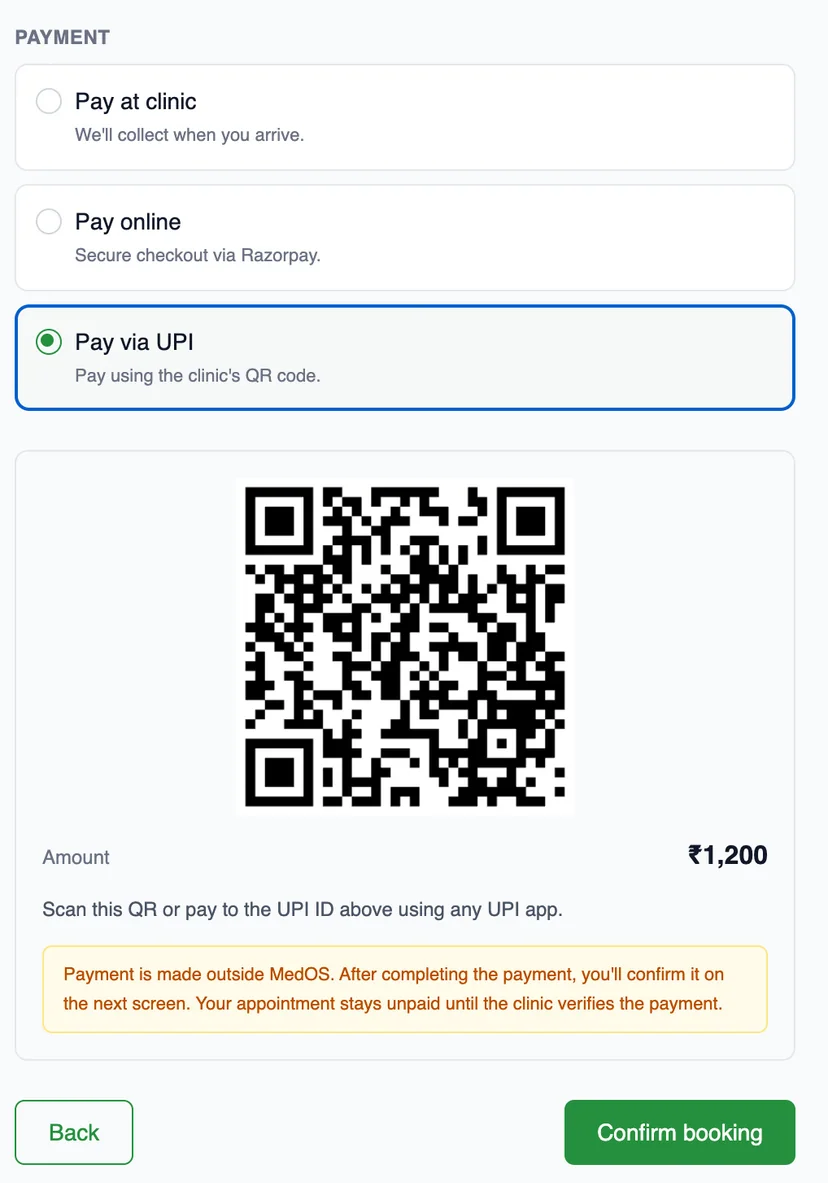

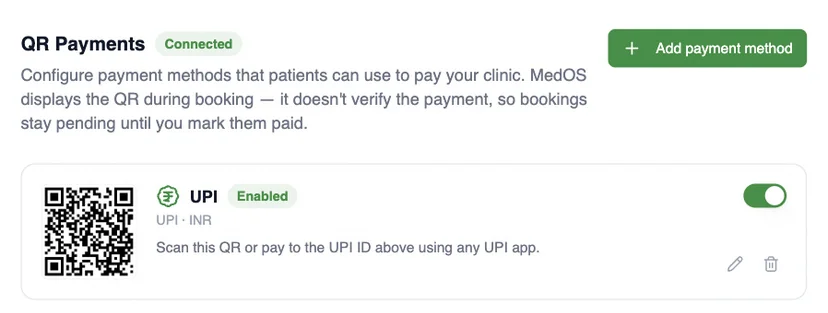
MedOS displays the QR. It does not verify the scan. The visit stays pending until staff mark it paid.
- 01Upload
Add your clinic’s payment QR once, in settings, or a UPI ID in India.
- 02Patient pays
Patients scan it at the payment step with their own payment app and confirm.
- 03Staff verify
The front desk marks the visit paid once the money has arrived.
Customers
In their own words.

My homeopathy practice runs on long-term follow-ups, and MedOS keeps every patient's history and repeat visits in one place. Records I used to dig through registers for are now a search away.
Dr. Neeraj Gupta
Homeopathy · Gupta Computerised Homeopathy Clinic · New Delhi
Practices running on MedOS, in their own words. We publish only what a practice has agreed to say, and nothing we cannot stand behind.
Features solo practitioners lean on
- Online booking
A patient books from your website, a shared link or a QR at the door. The booking lands in the upcoming column of the board with nothing re-typed at the desk.
Read more - Patient records
Visits, last seen, next appointment, outstanding balance, notes, prescriptions and activity, on one record. Nothing is re-entered at the desk.
Read more - Payments
MedOS is available worldwide, with payment options that fit your clinic’s country and provider accounts. Offer online payment through an eligible gateway or display your clinic’s own payment QR.
Read more - Google Calendar sync
The workspace calendar publishes clinic appointments. A practitioner can separately connect one read-only calendar so busy events affect booking availability.
Read more