Online booking
Online appointment booking for clinics, on the website you already have.
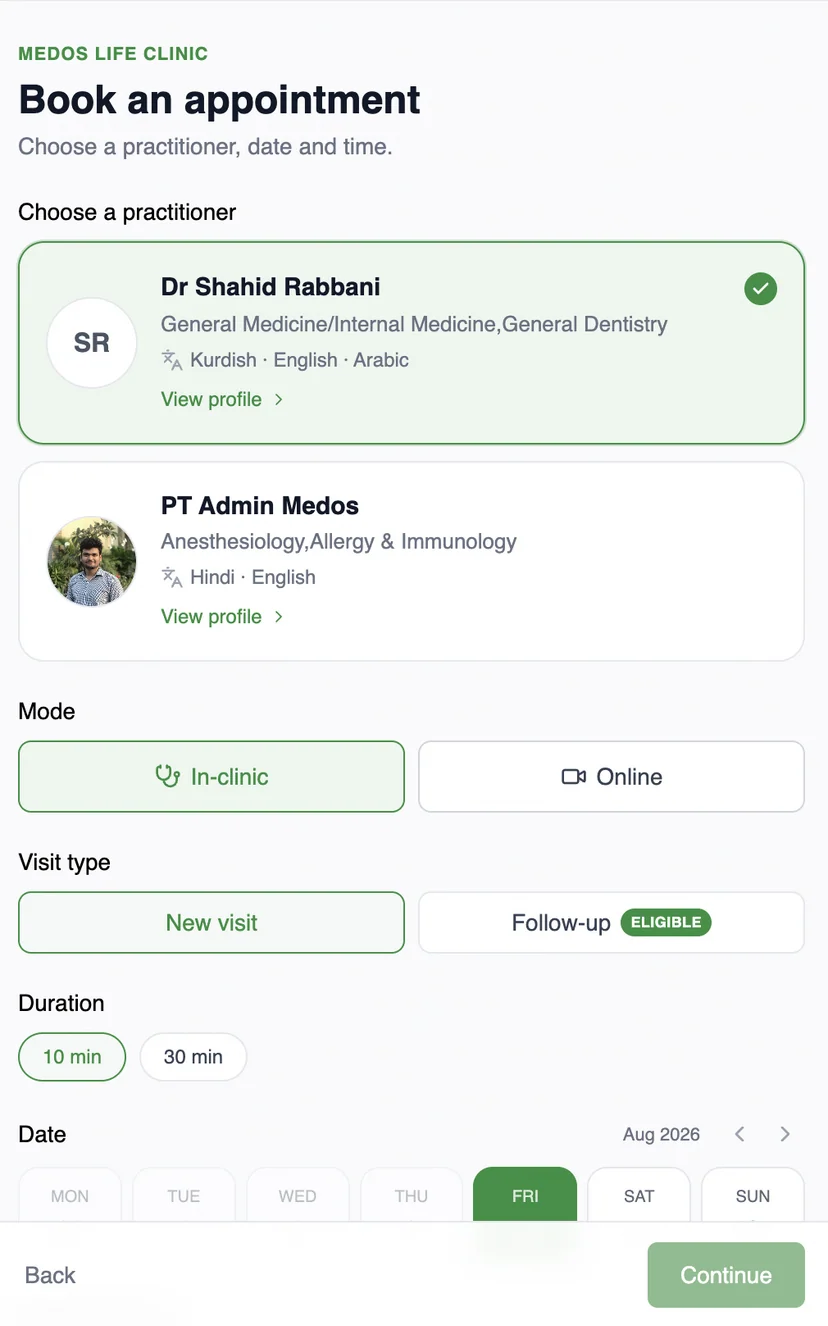
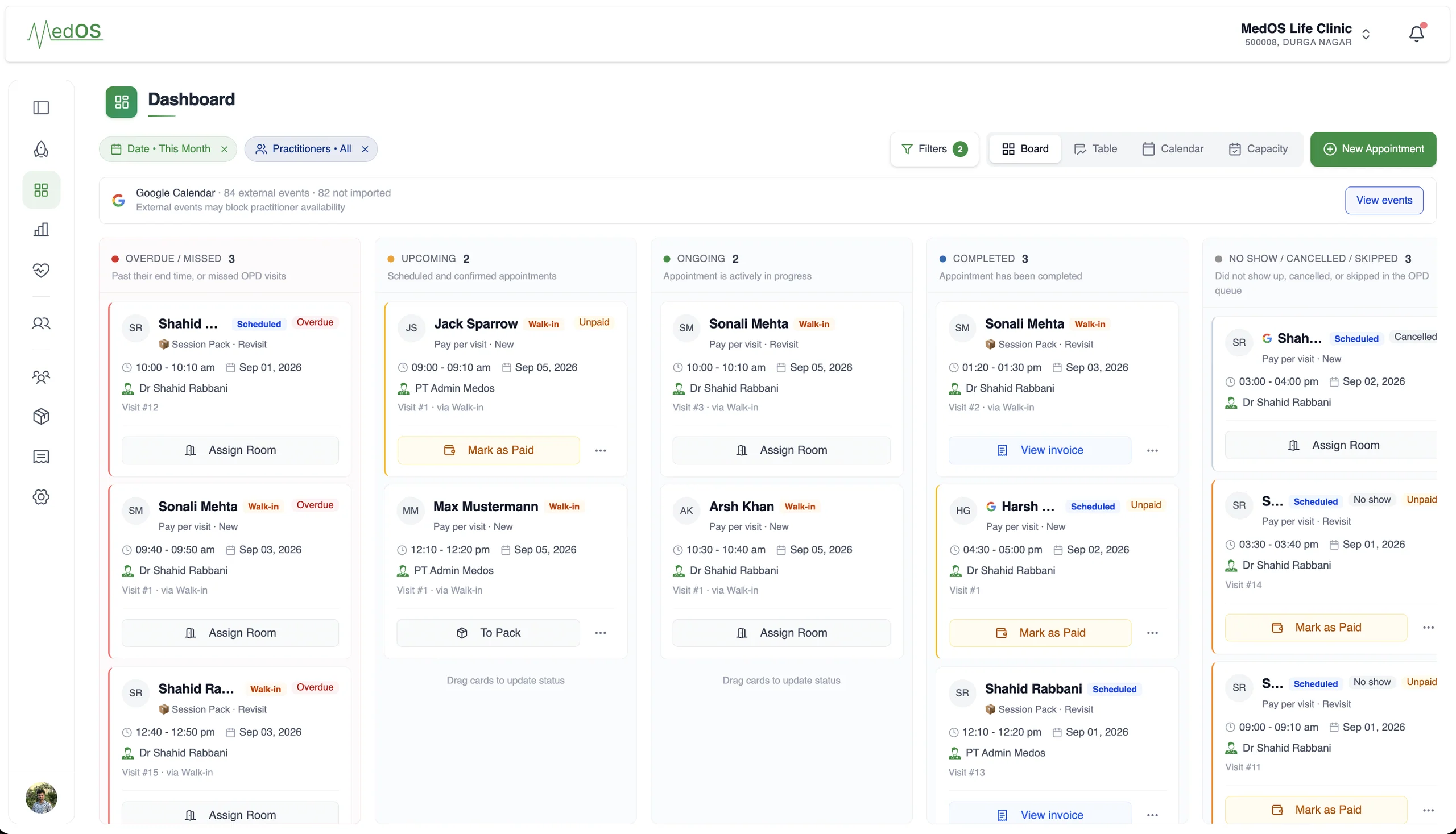
A patient books from your website, a shared link or a QR at the door. The booking lands in the upcoming column of the board with nothing re-typed at the desk.
Most clinic booking software asks you to move your website, or sends patients to a marketplace where your competitors are one tap away. MedOS does neither. One script tag adds the booking widget to the site you already run, themed to match it. If you have no website, a link in your Google Business Profile, on WhatsApp or in an Instagram bio opens the same flow.
The patient chooses a practitioner, in-clinic or online, a new visit or a follow-up, and a slot that is actually free, because availability comes from the practitioner’s MedOS calendar and their Google Calendar together. They verify their phone with an OTP, register once, and can pay online through Razorpay or with the clinic’s own UPI QR at the payment step.
What you get
- One script tag
- The widget is the only part of MedOS that lives on your website. Everything else runs in MedOS.
- Link and QR too
- The same booking flow opens from a shareable link or a printed QR, so a website is optional.
- Real availability
- Slots reflect the practitioner’s MedOS calendar and the Google Calendar they have connected.
- OTP-verified patients
- Patients verify their phone number, so bookings are tied to a real person and a real record.
No migration
Your website stays. Your operations get better.
You do not rebuild your digital presence to run on MedOS. Patients keep arriving through the site, the link or the QR you already share. Every route lands in the same patient experience, and every booking lands in the same operations.
- 01
Embed the booking widget
One script tag adds booking to the site you already have, themed to match it. This is the only part that lives on your website.
Widget documentation - 02
Share a booking link
No site changes at all. Put the link in your Google Business Profile, on WhatsApp, or in an Instagram bio.
- 03
Print the QR
At the door, on the desk, on a flyer. It opens the same booking and check-in flow.
OTP-verified, branded to your clinic, on the patient’s own phone. Self check-in, payment and Google Meet links are part of the same flow.
Works with
- Self check-in
Patients verify who they are and book a slot or join the queue from their own phone. They are on the board before they reach the desk. Nobody re-enters a name.
Read more - Google Calendar sync
Connect the Google account your practice already uses, and let each practitioner connect their own. Appointments go out, busy events come in, and anything changed in Google is flagged for a decision.
Read more - Payments
Online through Razorpay, or with the payment QR your clinic already has at reception. Both are part of the same patient payment step, and both settle in the clinic’s own account.
Read more