Dental clinics
Clinic management software for dental clinics.
Chair time, multi-visit treatment plans, and a front desk that runs the day. MedOS puts the whole day on one board and every visit on one record.
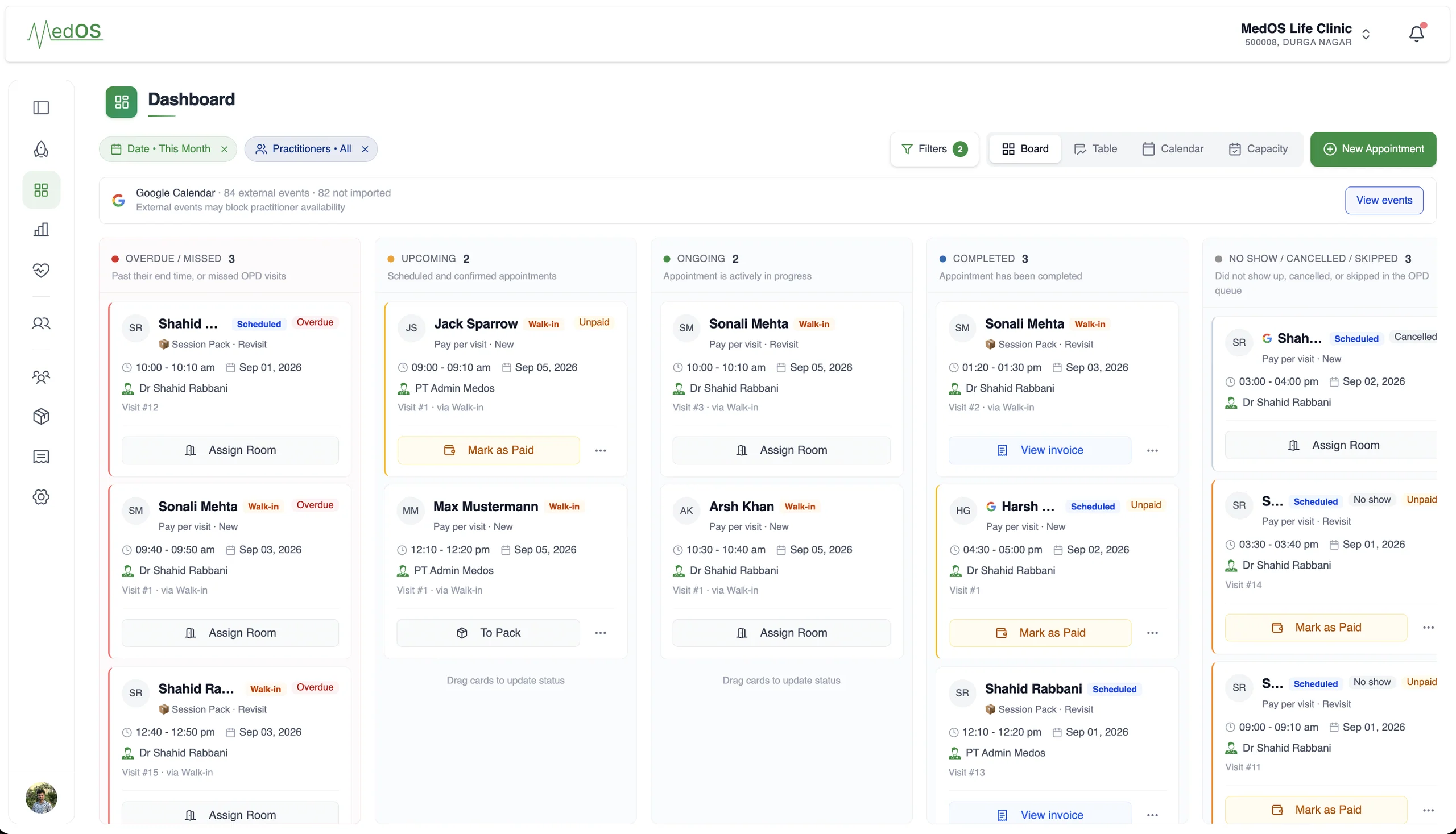
A dental clinic is a scheduling problem first. Two or three chairs, several dentists on different days, procedures that take twenty minutes or two hours, and patients who come back four times for the same treatment. The register at reception cannot show who is in which chair, who has arrived, and who still owes for the last visit. The MedOS appointment board can.
Patients book online per dentist with real availability, or from the QR at the door, and are assigned a room from the board. The dentist writes notes and the prescription against the visit. Reception takes payment on the clinic’s own UPI QR or through Razorpay. The next sitting is booked from the same record, so a treatment plan is a sequence of visits rather than a note in a file.
Chair time, multi-visit treatment plans, and a front desk that runs the day.
Practitioner-level scheduling, the appointment board and queue at reception, payment on every visit.
A day on MedOS
How a dental clinic runs on MedOS.
- 01Book
Patients choose a dentist and a slot on your website, a link or a QR. Follow-ups are offered when eligible.
- 02Arrive
Self check-in puts the patient on the board. The desk moves the card to ongoing and assigns a room.
- 03Treat
Notes and prescription on the visit, previous visits one click away.
- 04Collect
Paid on your QR or online, with the payment on the visit. Outstanding balances stay on the record.
A snapshot of your entire practice.
Payments
Collect payment the way your clinic already does.
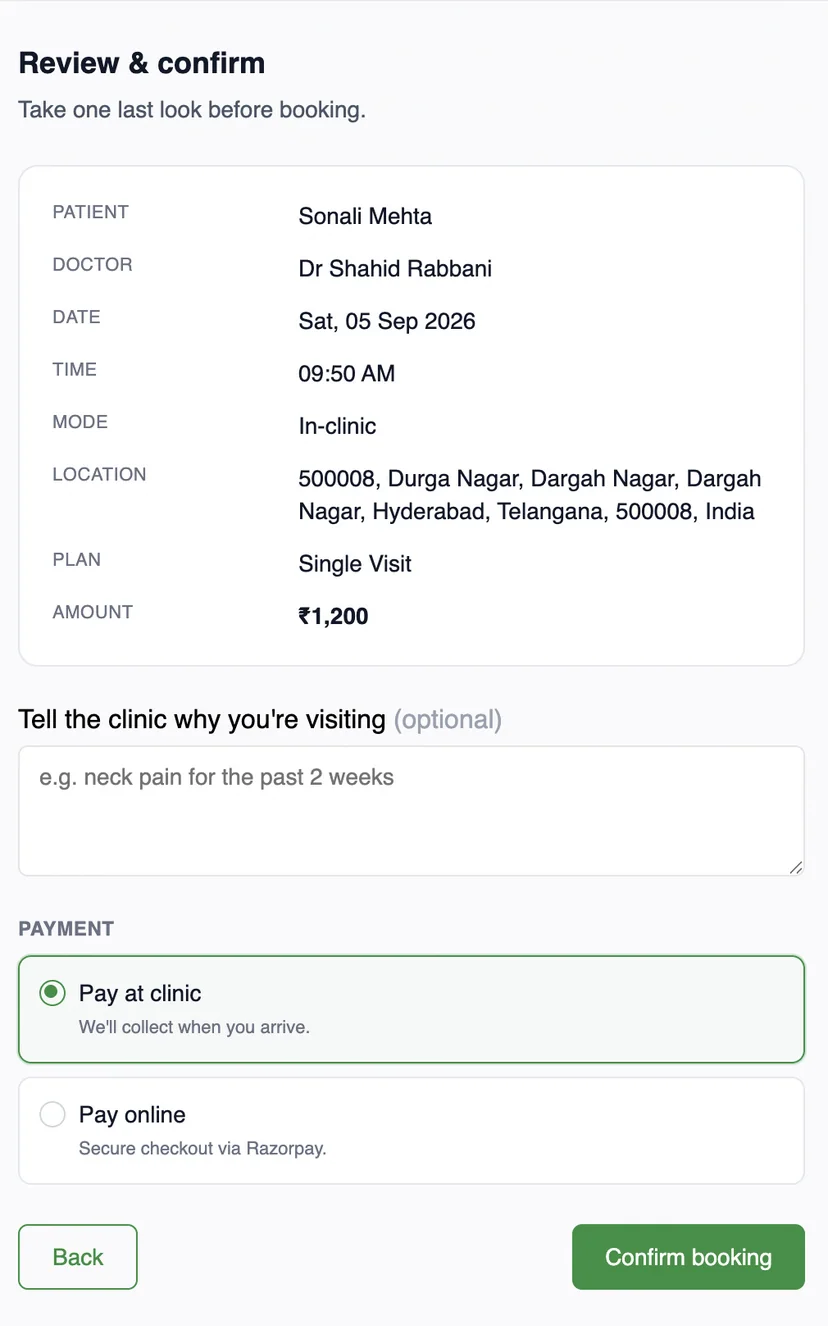
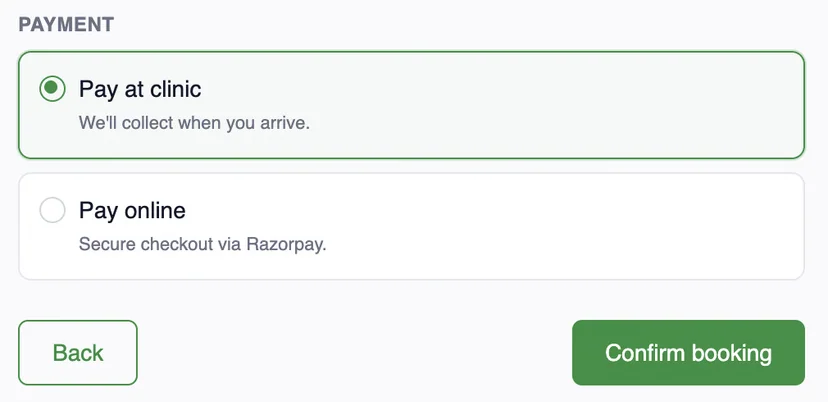
Online through Razorpay, or with the payment QR your clinic already has at reception. Both are part of the same patient payment step, and both settle in the clinic’s own account.
Card, UPI or netbanking, at booking.
The patient chooses to pay online and completes checkout with Razorpay. The visit is marked paid the moment Razorpay confirms it. MedOS stores your gateway credentials, not your money.
Upload once. Patient pays. Staff verify.
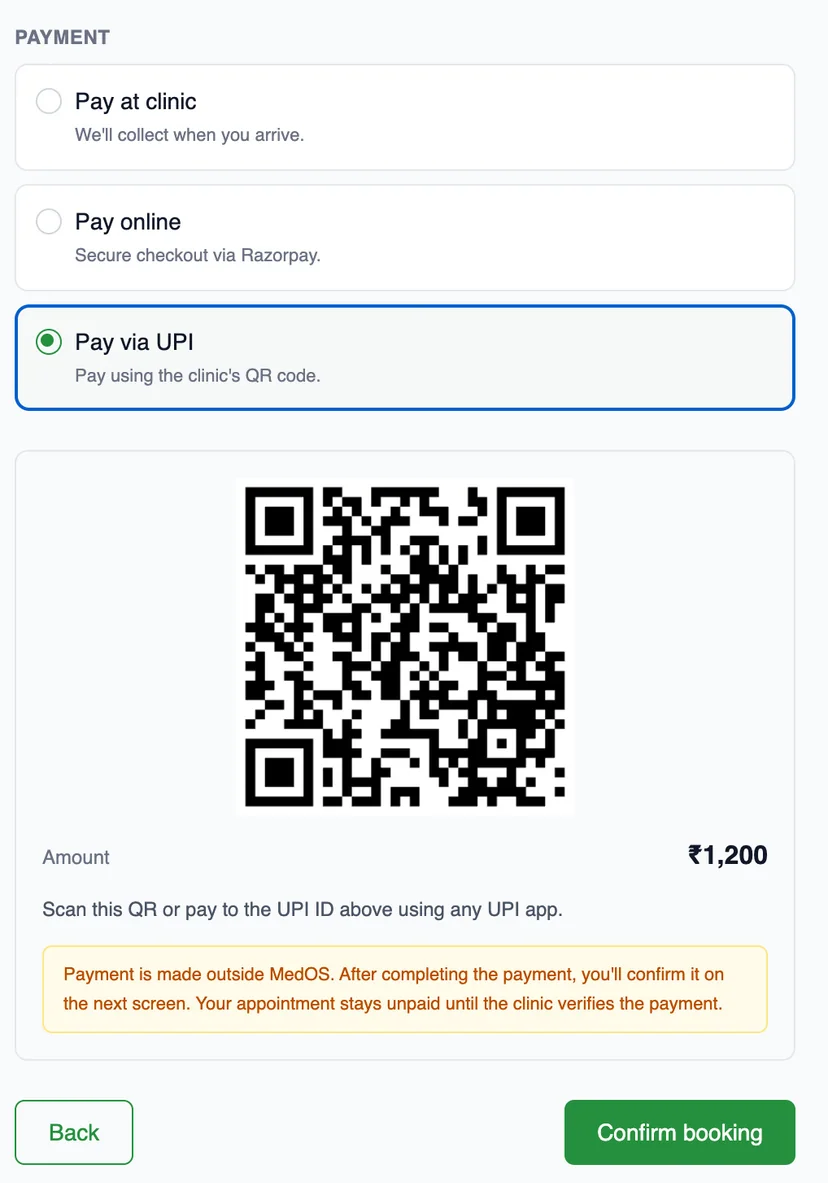

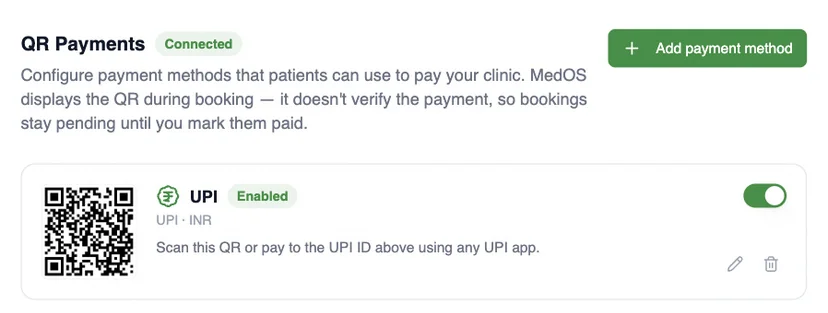
MedOS displays the QR. It does not verify the scan. The visit stays pending until staff mark it paid.
- 01Upload
Add your clinic’s payment QR or UPI ID once, in settings.
- 02Patient pays
Patients scan it at the payment step with any UPI app and confirm.
- 03Staff verify
The front desk marks the visit paid once the money has arrived.
One record
Every surface reads and writes the same patient record.
Patient record
From first booking to follow-up
Visits, last seen, next appointment, outstanding balance, prescriptions and activity, on one record. Nothing is re-entered at the desk.
Consultation
Notes written against the visit
Session notes with headings, lists and tables, and the prescription beside them, autosaved as the practitioner writes, with previous notes one click away.
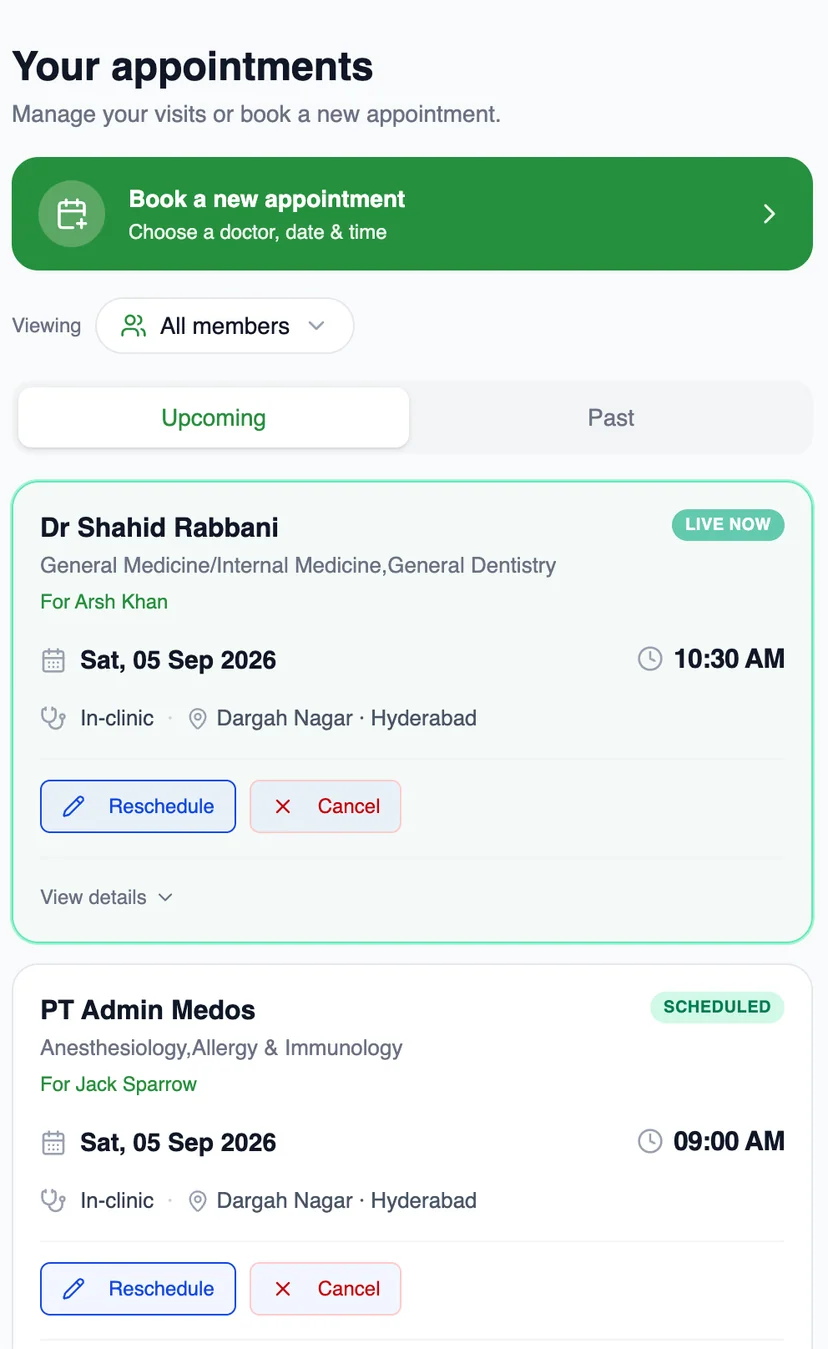
Patient portal
Patients see the same record
Their appointments, live status, reschedule and cancel, on their own phone, OTP-verified and branded to your clinic.
Front desk
The board knows who is in the room
Overdue, upcoming, ongoing and completed, per practitioner, with payment state on every card.
Recurring care
Session packs, sold in the same flow
Prepaid packs with validity and remaining sessions, chosen by the patient at booking and drawn down visit by visit.
Features dental clinics lean on
- Appointment board
Overdue, upcoming, ongoing and completed, per practitioner, with payment state on every card. The board is the front desk’s single screen.
Read more - Online booking
A patient books from your website, a shared link or a QR at the door. The booking lands in the upcoming column of the board with nothing re-typed at the desk.
Read more - Payments
Online through Razorpay, or with the payment QR your clinic already has at reception. Both are part of the same patient payment step, and both settle in the clinic’s own account.
Read more - Patient records
Visits, last seen, next appointment, outstanding balance, notes, prescriptions and activity, on one record. Nothing is re-entered at the desk.
Read more