Invoicing
An invoice for every visit, with your tax rules on it.
When a visit completes, the invoice is ready. Tax labels, classification codes and currency come from the workspace, so the desk never works out tax by hand.
Many small clinics write receipts by hand or keep a separate billing tool that knows nothing about the visit. In MedOS the invoice comes from the visit itself, with the consultation fee and any medicines billed, and payments are recorded against it.
Tax is set once for the workspace: the tax label your country uses, the rate, and classification codes for services and medicines, with registration details printed on the invoice. Invoices can be drafted and published, refunded in part or in full, or voided with a reason, and every payment stays on the record.
What you get
- From the visit
- The invoice is issued when the visit completes, with nothing re-entered at the desk.
- Your tax setup
- Tax label, rate, classification codes and registration details, set once per workspace.
- Refunds and voids
- Partial or full refunds and voids, each with an optional reason.
- Your currency
- Invoices are issued in the workspace’s currency, location by location.
Payments
Collect payment the way your clinic already does.
Online through Razorpay, or with the payment QR your clinic already has at reception. Both are part of the same patient payment step, and both settle in the clinic’s own account.
Card, UPI or netbanking, at booking.
The patient chooses to pay online and completes checkout with Razorpay. The visit is marked paid the moment Razorpay confirms it. MedOS stores your gateway credentials, not your money.
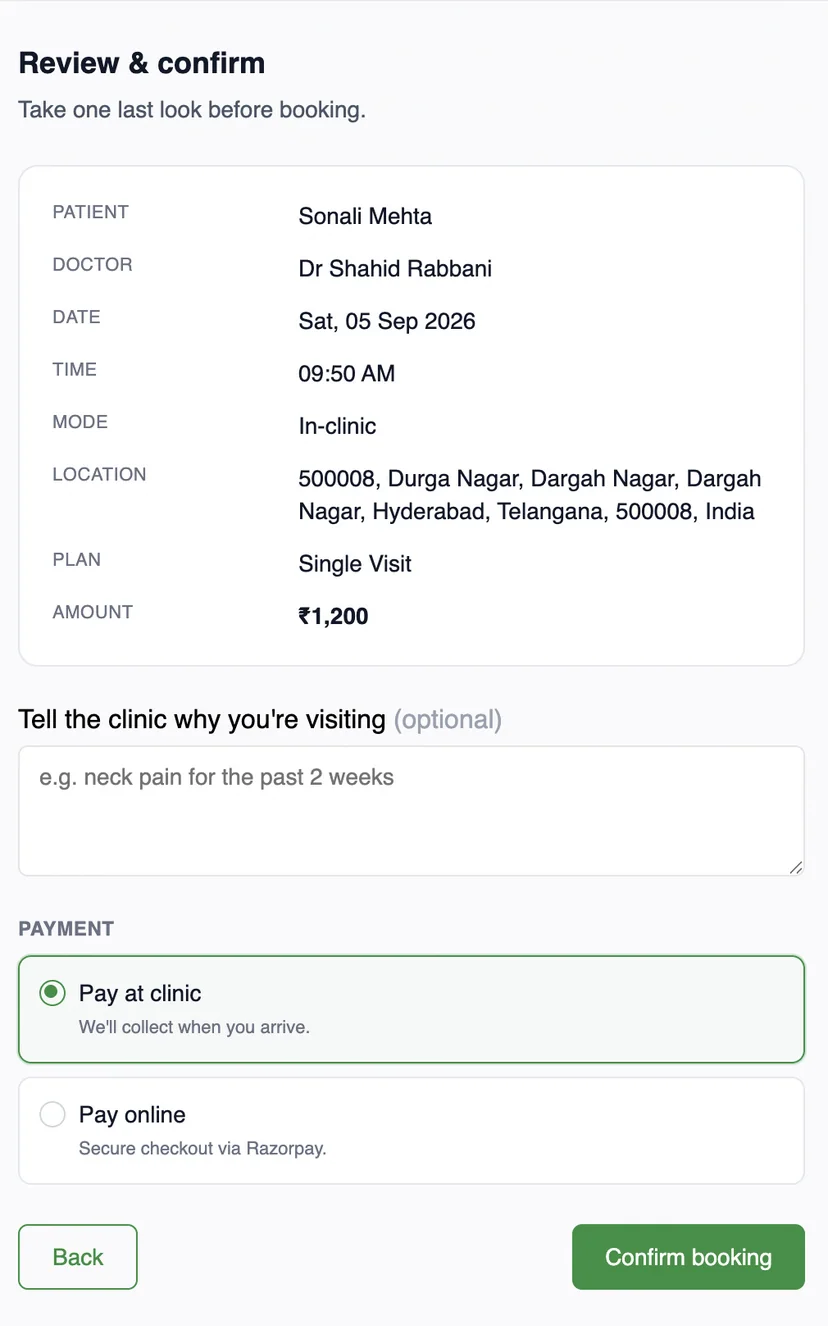
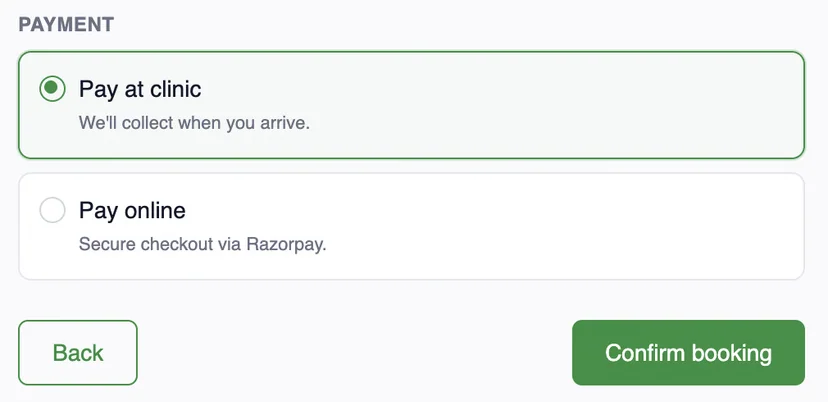
Upload once. Patient pays. Staff verify.
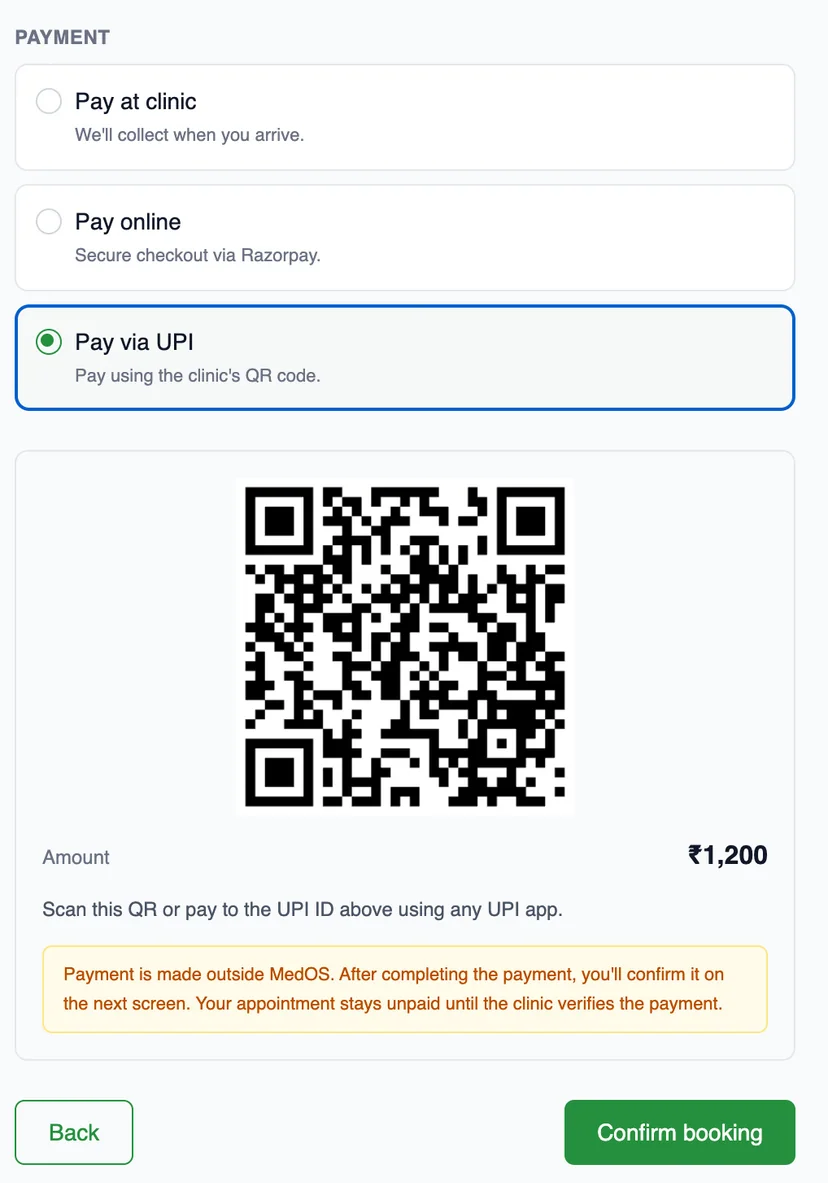

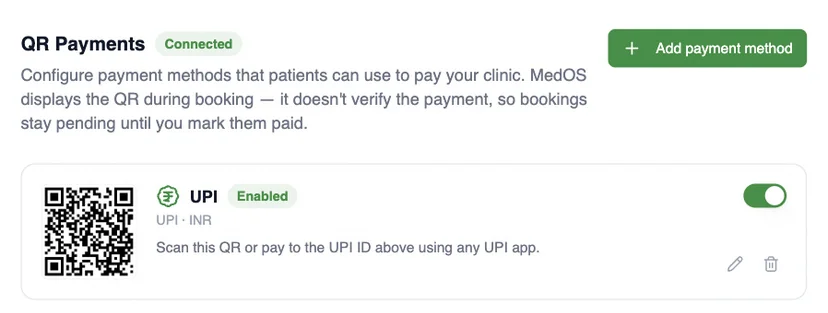
MedOS displays the QR. It does not verify the scan. The visit stays pending until staff mark it paid.
- 01Upload
Add your clinic’s payment QR or UPI ID once, in settings.
- 02Patient pays
Patients scan it at the payment step with any UPI app and confirm.
- 03Staff verify
The front desk marks the visit paid once the money has arrived.
Works with
- Payments
Online through Razorpay, or with the payment QR your clinic already has at reception. Both are part of the same patient payment step, and both settle in the clinic’s own account.
Read more - Pharmacy & inventory
Every medicine is tracked by batch, with expiry dates, reorder levels and suppliers, so the clinic knows what is on the shelf before a patient asks for it.
Read more - Practice performance
A practice owner should not have to piece together bookings, attendance, revenue and follow-up to understand how the practice is doing.
Read more