Video consultations
Online consultations on the same board as the clinic.
Patients choose an online visit when they book. The meeting is created for the appointment, and the visit sits on the same board and record as everyone in the waiting room.
Teleconsultation usually means a separate tool: a meeting link pasted into WhatsApp, a payment taken somewhere else, and notes that never reach the patient’s file. In MedOS an online visit is a visit type. The patient books it through the same widget, link or QR, pays the same way, and appears on the same appointment board.
Each practice chooses its video platform. Consultations can run in the built-in MedOS video room, or the appointment can carry a Google Meet or Zoom link created when it is booked, through the practitioner’s connected account. Notes and prescriptions are written to the same record during or after the call.
What you get
- Booked like any visit
- Online is a visit type in the same booking flow, with the same payment step.
- Your choice of platform
- Use the built-in video room, Google Meet or Zoom.
- Links made for you
- Meeting links are created with the appointment, not copied in by hand.
- One record
- Notes and prescriptions from the call land on the patient record.
Google Calendar
Your calendar and MedOS stay in sync.
Connect the Google account your practice already uses, and let each practitioner connect their own. Appointments go out to Google, busy events come in to block availability, and anything changed in Google is flagged for a decision, which prevents double bookings and the duplicate typing that comes with running two calendars.
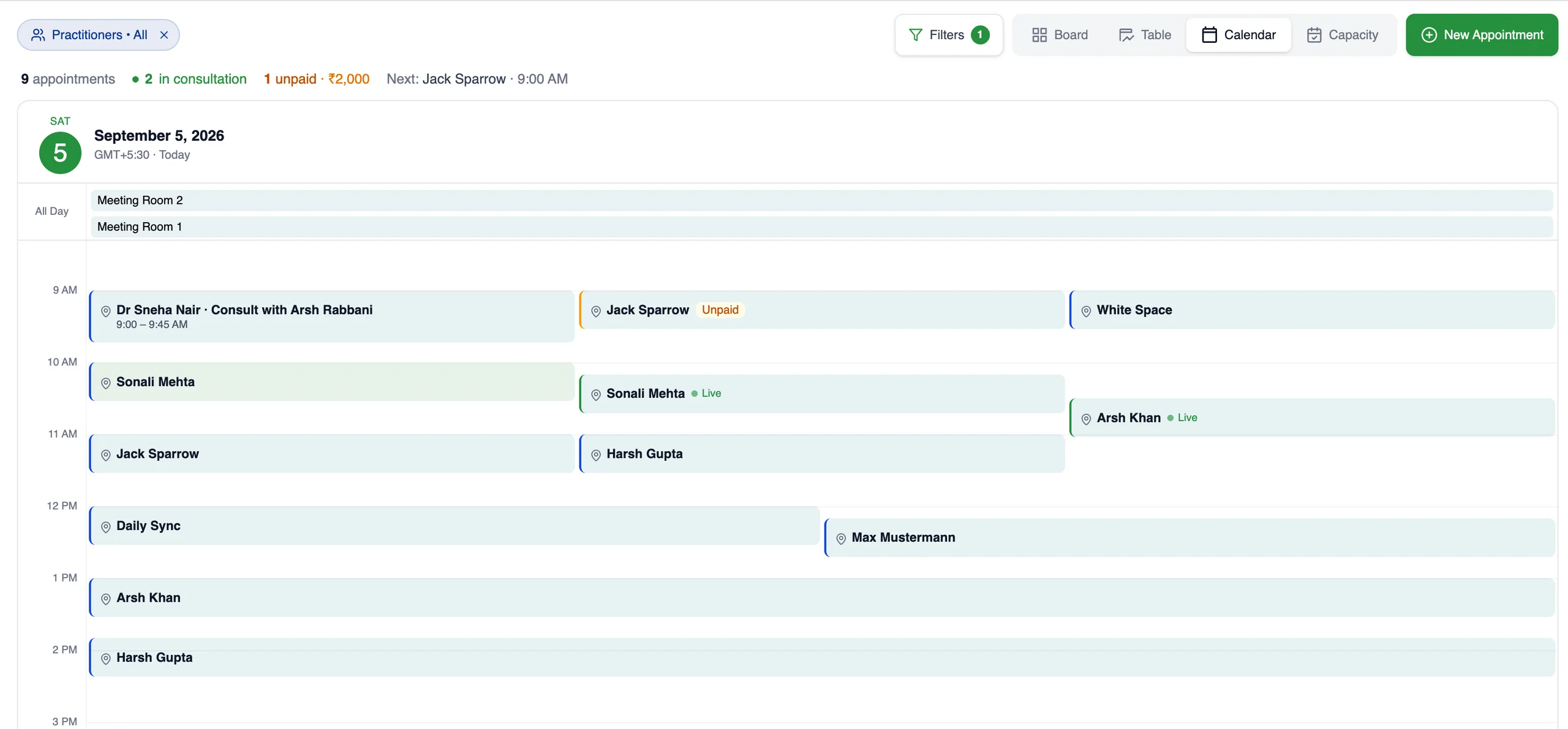
Each practitioner connects their own Google account, read-only, so their busy events block availability. Appointments reach Google through the workspace account.
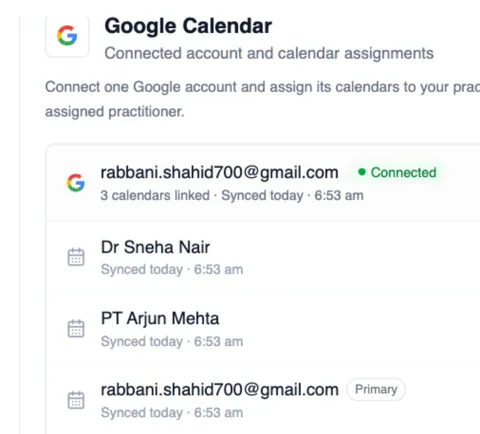
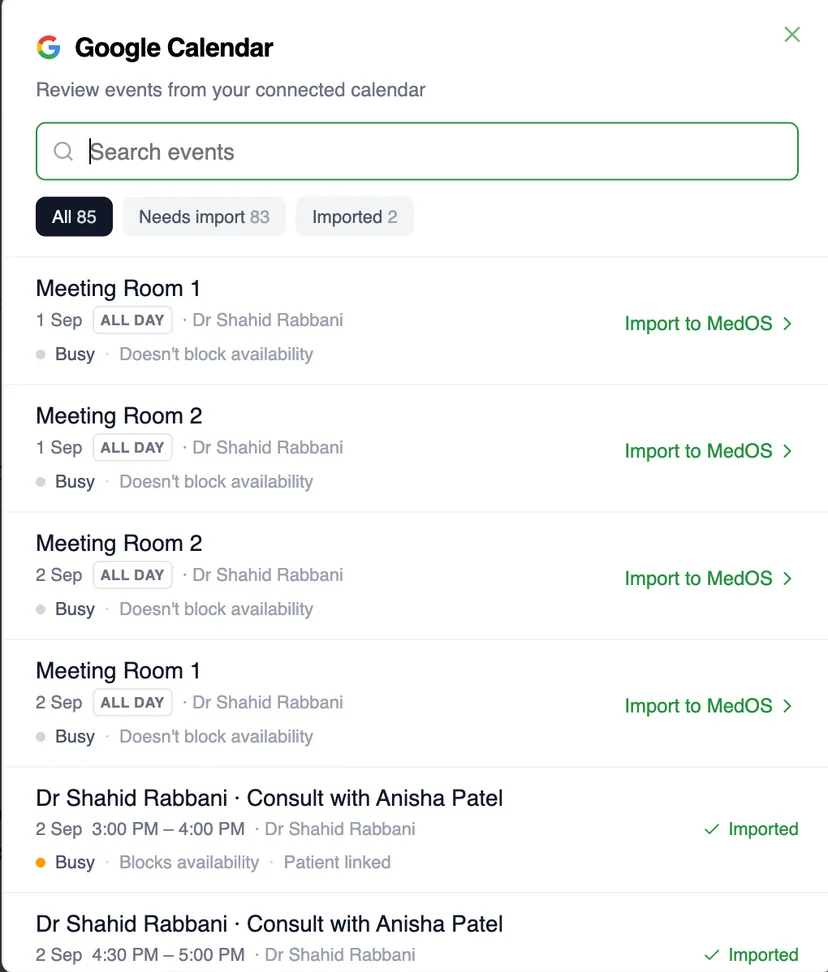
One workspace account for the practice. One read-only connection per practitioner.
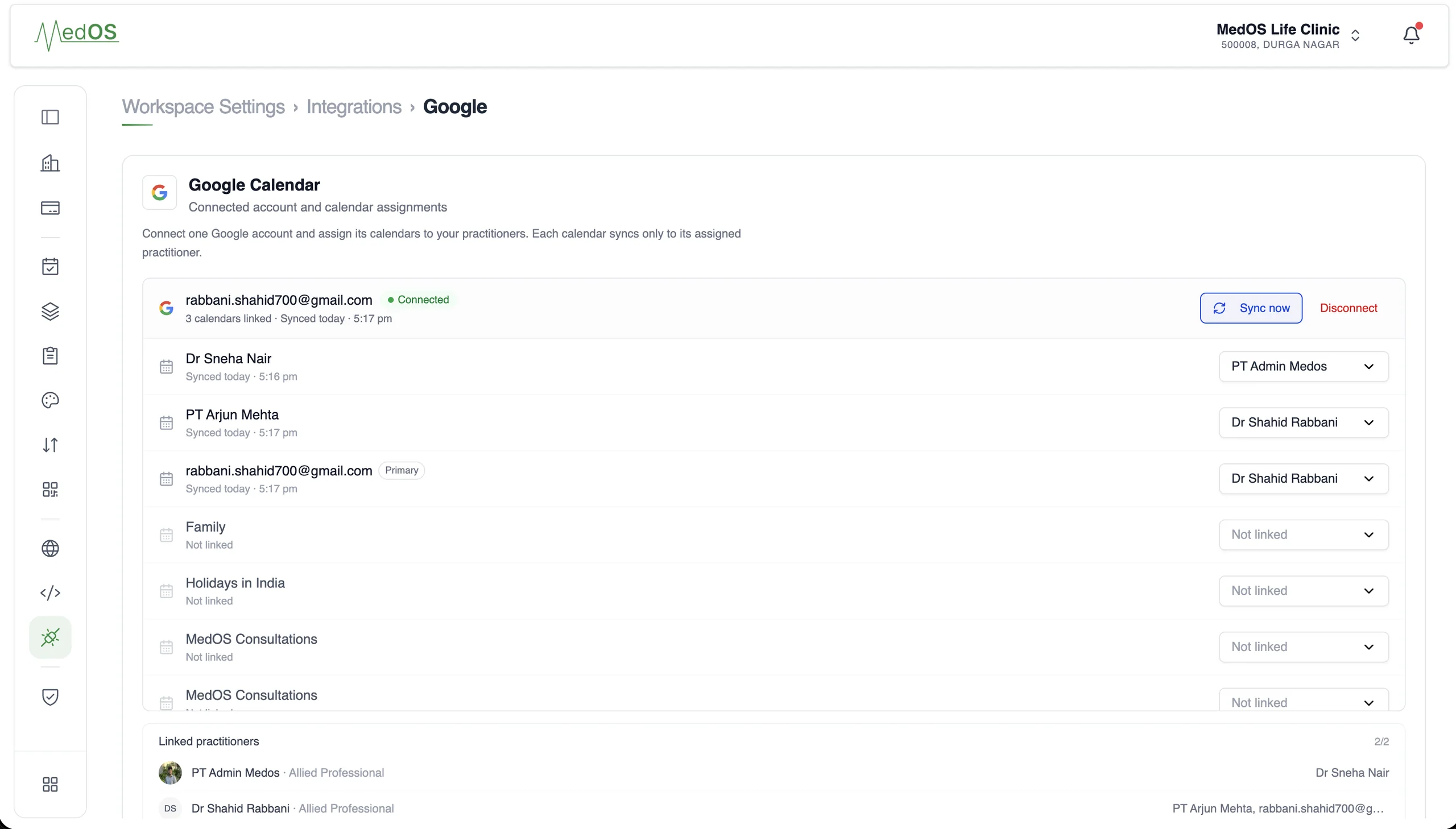
- Two connections
- A workspace account sends appointments out to Google. Each practitioner connects their own Google account, read-only, so their events come in.
- Availability
- Events on a practitioner’s Google Calendar block their availability in MedOS, so patients only see slots that are actually free.
- Appointments
- Appointments made in MedOS appear on the workspace Google Calendar, with the patient invited when you switch that on.
- Updates
- Rescheduled and cancelled appointments update the Google event. Nobody types the same visit twice.
- Attention state
- If an event is moved or removed in Google, MedOS marks the appointment for a decision. It keeps its original time until someone chooses.
Works with
- Online booking
A patient books from your website, a shared link or a QR at the door. The booking lands in the upcoming column of the board with nothing re-typed at the desk.
Read more - Google Calendar sync
Connect the Google account your practice already uses, and let each practitioner connect their own. Appointments go out, busy events come in, and anything changed in Google is flagged for a decision.
Read more - Digital prescriptions
The prescription is written inside the consultation, on the doctor’s own header, signature and stamp, and reaches the patient as a PDF or on WhatsApp as soon as it is saved.
Read more